
| Minimum Software Version | 8.18.10 |
| Solution(s) | Hearings ⨉ Cases International ✓ Cases US ✓ Institutions ✓ Counsel ✓ Focused View✓ |
Introduces Opus 2 Learn, the self-paced online training hub, and explains how to access it and what learning paths are available.
Opus 2 Learn is the hub for self-paced online training, with courses designed to help users build confidence and get the most from the Opus 2 platform. Learning paths are tailored to different roles, experience levels, and learning goals.
Learning paths
| Path | Description |
|---|---|
| Workflow-based training | Build practical skills with online courses tailored to the different workflows and tasks used across a case team. |
| AI Certification | Learn AI fundamentals, effective prompting techniques, and practical litigation-focused applications through six self-paced courses. |
| Introductory courses | Get up to speed quickly with introductory videos covering the core features when getting started in Opus 2. |
| Project configuration | Discover feature capabilities built to help with case strategy. |
| Administrative training | Build the skills needed to effectively manage and optimise an Opus 2 instance. |
Getting started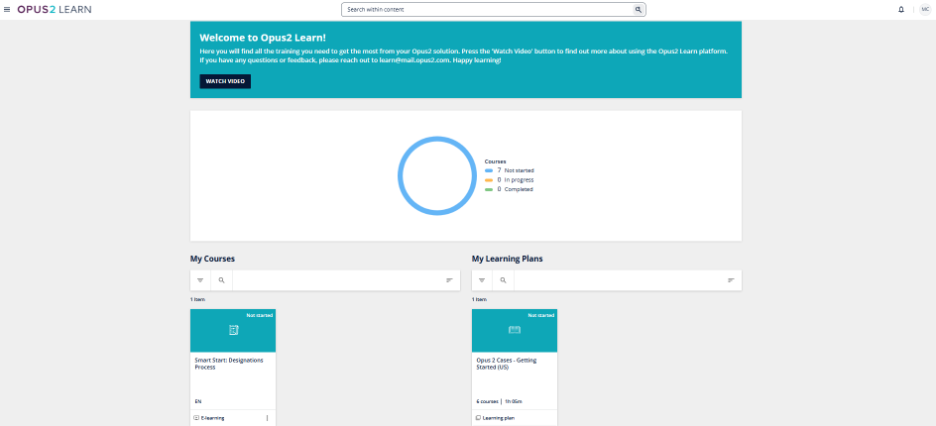
Log in at https://learn.opus2.com.
Need access? Contact learn@mail.opus2.com and the team will help you get started.
Related documentation
Opus 2 has help information accessible within the application; click the question mark and then select Documentation in the upper-right area of the platform. You can also access the documentation at: Opus 2 Support.
How to contact us
To contact us about the documentation, or if you have any other questions or issues about Opus 2 solutions, contact Opus 2 Platform Support by emailing Opus 2 Platform Support.