
| Minimum Software Version | 9.42.1 |
| Solution(s) | Hearings ⨉ Cases International ✓ Cases US ✓ Institutions ✓ Counsel ✓ |
This article explains how to adjust the position and rotation of stamps on individual pages within a document, allowing greater flexibility when working with varying page layouts and orientations.
Stamp placement can be customized on a page-by-page basis without affecting the placement of stamps on other pages in the same document.
Previously, stamp positioning was applied consistently across an entire document. With page-level stamp adjustments, users can:
- Move stamps to different positions on individual pages
- Rotate stamps to suit page orientation or layout
- Reset page-specific adjustments when needed
- Preserve custom stamp configurations during export
This functionality is particularly useful when working with:
- Mixed page orientations
- Scanned documents
- Variable document layouts
- Production and disclosure workflows
Page-specific adjustments only affect the selected page. All other pages continue to display the stamp in its default position unless individually modified.
Adjust the Position of a Stamp on a Specific Page
- Locate a document that contains a stamp.
- Open the Document Viewer.
- Navigate to the page you want to modify.
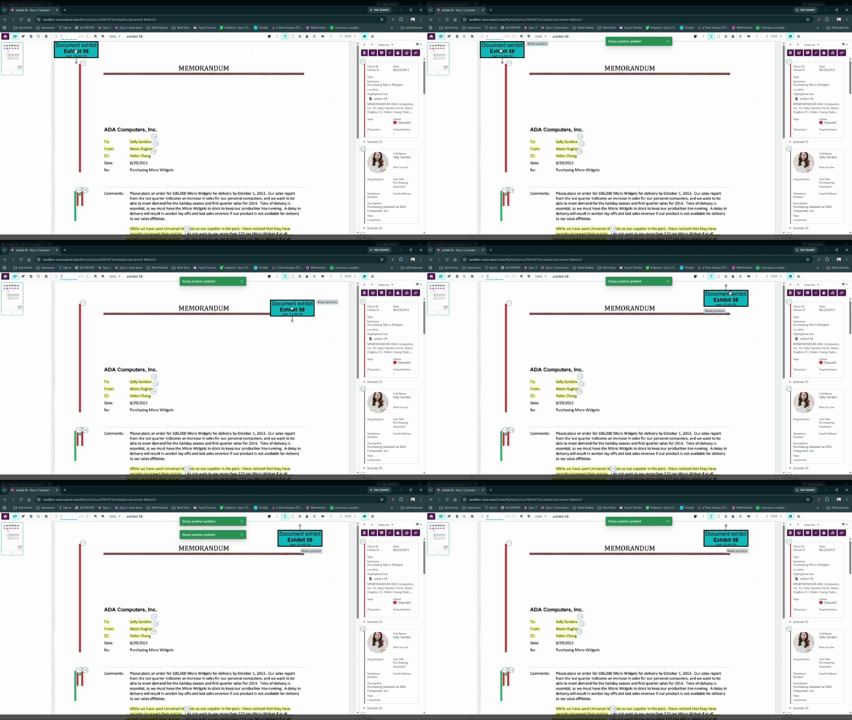
- Drag the stamp to the desired position.
- Close the Document Viewer.
Result
The updated stamp position is automatically saved for that page.
Rotate a Stamp on a Specific Page
- Locate a document that contains a stamp.
- Open the Document Viewer.
- Navigate to the page you want to modify.
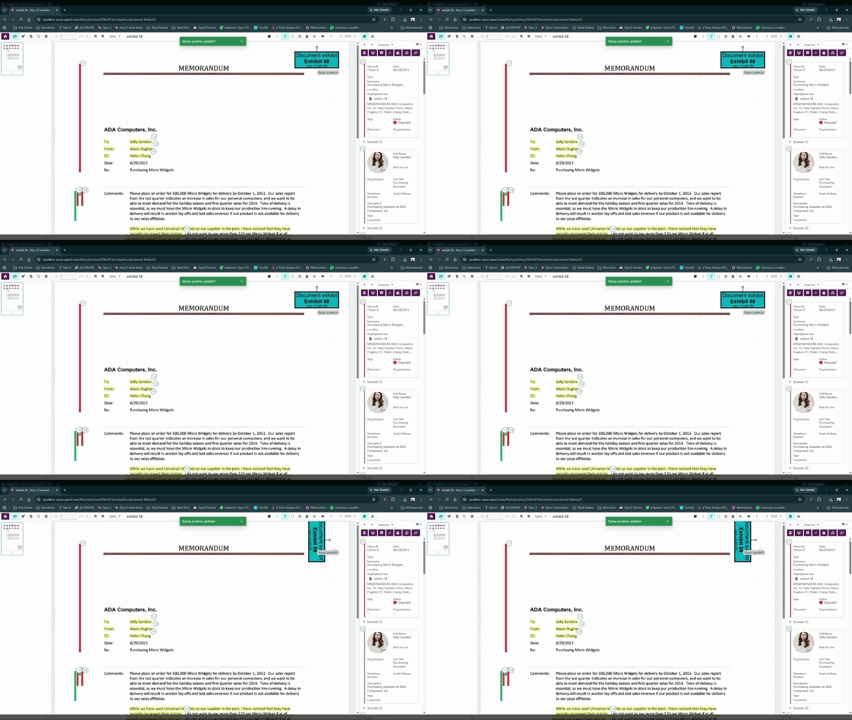
- Use the stamp rotation control to rotate the stamp to the desired angle.
- Close the Document Viewer.
Note: This functionality is only available on the latest version of the Stamp builder and will not apply to Legacy stamps.Result
The rotation setting is automatically saved for that page.
Reset a Page-Specific Stamp Adjustment
If you need to restore the original stamp placement:
- Open the document in the Document Viewer.
- Navigate to the page containing the modified stamp.
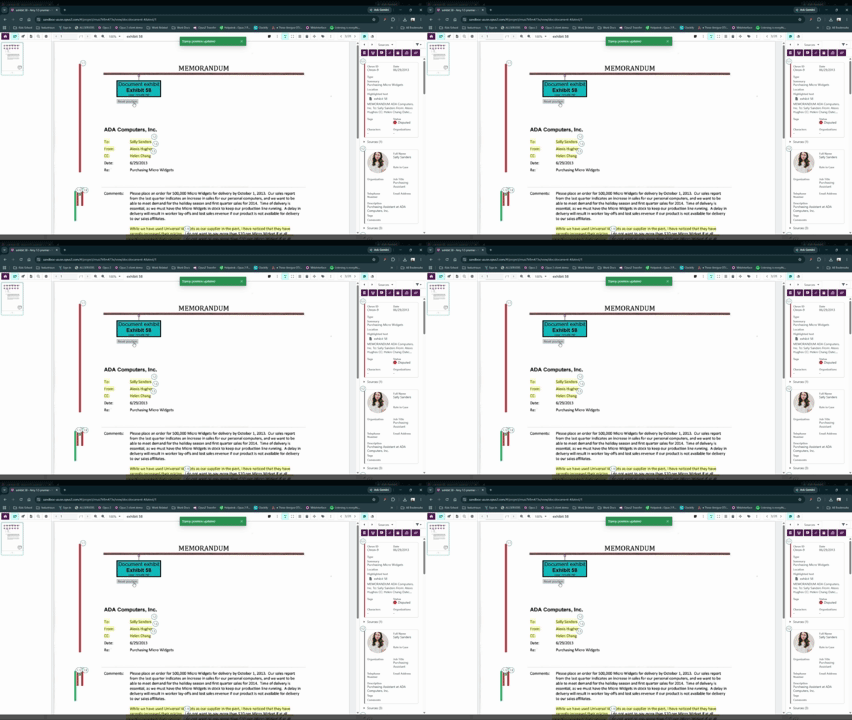
- Select Reset Position on the stamp.
Result
The stamp returns to its default position and orientation for that page.
Important Considerations
| Feature | Behavior |
|---|---|
| Page-specific positioning | Only affects the selected page |
| Page-specific rotation | Only affects the selected page |
| Automatic saving | Changes are saved when the viewer is closed |
| Reset Position | Restores default placement and rotation |
| Document exports | Preserve all page-specific adjustments |
| Collection items | Maintain independent stamp settings |
| Source documents | Remain unchanged when collection item stamps are modified |
Related Links (optional)
- Document Viewer
- Document Exports
- Collections
- Managing Document Stamps