
| Minimum Software Version | 9.43.1 |
| Solution(s) | Hearings ⨉ Cases International ✓ Cases US ✓ Institutions ⨉ Counsel ✓ |
Stamps Overview
The new Stamps feature introduces a modern, flexible framework for creating, managing, and applying document stamps across documents and collections. Designed to support both US and UK legal workflows, the feature enables users to build customized stamps using document metadata, text, images, formatting options, and positioning controls.
This release replaces and expands upon the capabilities of Legacy Stamps with a more intuitive configuration experience, real-time previews, and enhanced stamp management functionality.
This new experience will be automatically enabled on all new projects, and can be enabled for existing matters on a per-project basis. You can switch back to the legacy experience at any time, and stamps created in each version will be preserved independently. To have the new stamp builder enabled on an existing project, please reach out to firm’s System Admin.
What's New
New Stamp Builder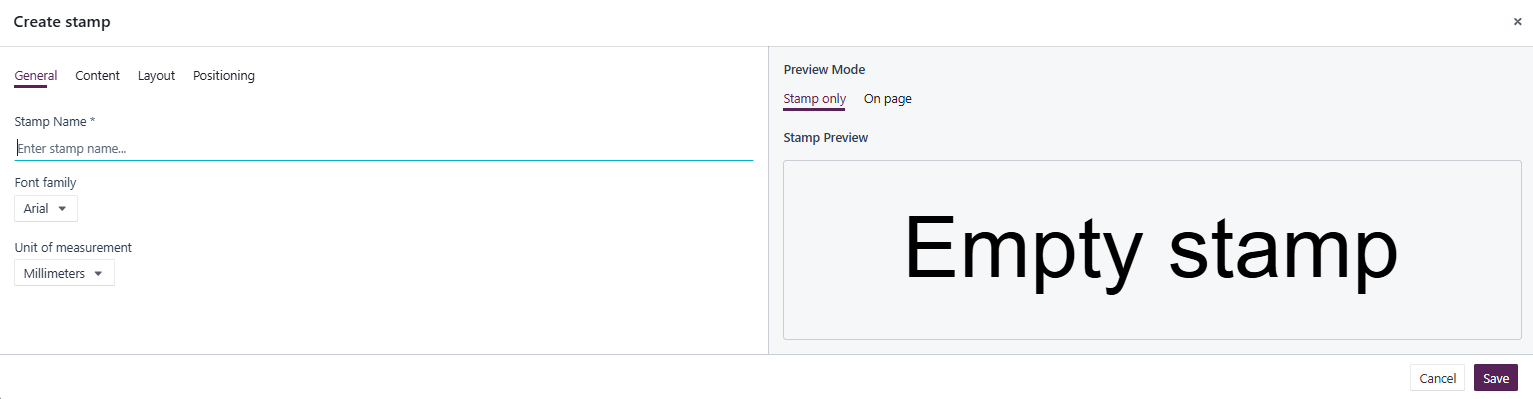
Create fully customized stamps using a guided configuration experience across four setup areas:
- General – Name, font selection, and measurement units.
- Content – Combine metadata fields, text, delimiters, checkboxes, and spacing.
- Layout – Control stamp sizing, colors, borders, and formatting.
- Positioning – Define default placement, page scope, and page offsets.
Real-Time Stamp Preview
As stamps are configured, users can preview exactly how they will appear on a document, making setup more predictable and reducing trial-and-error.
Advanced Metadata Support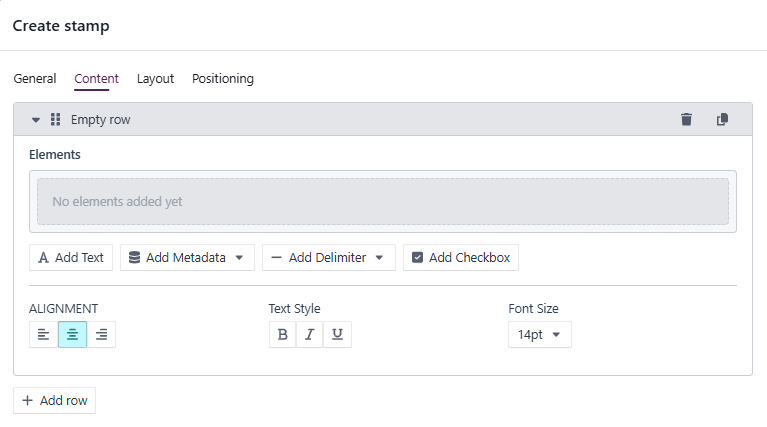
Stamps can now display:
- Any available document metadata field
- Custom text
- Images
- Delimiters
- Checkboxes
Metadata automatically populates based on the document being stamped.
Improved Styling Controls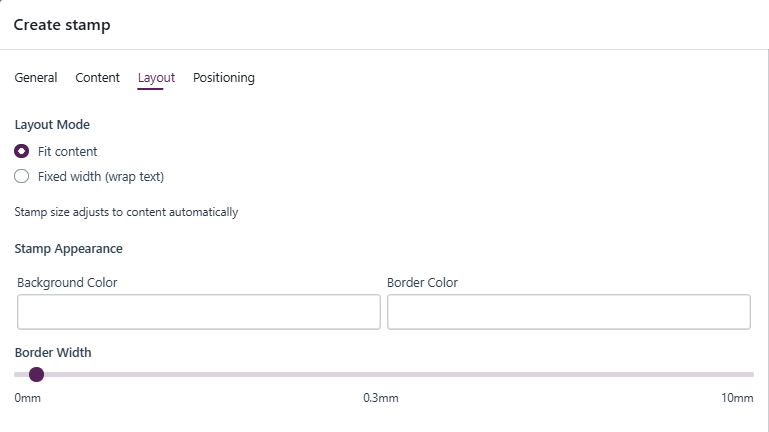
Configure:
- Font family (Arial, Times New Roman, Courier)
- Font size
- Text formatting (bold, italic, underline)
- Content alignment
- Border color and width
- Background color
Flexible Layout Options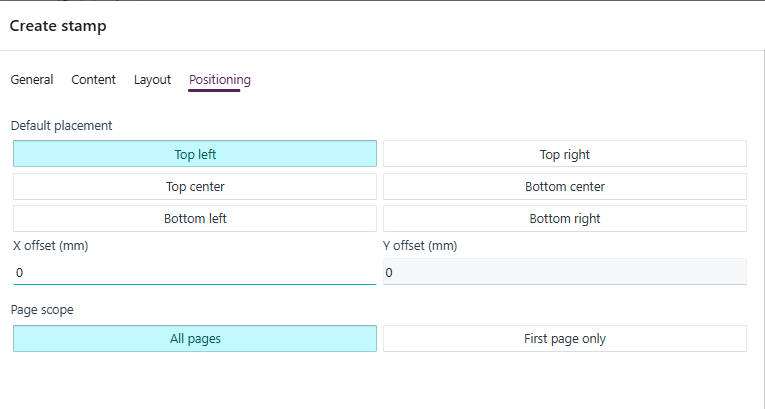
Choose between:
- Fit Content – Automatically sizes the stamp to its contents.
- Fixed Width – Sets a maximum width and wraps content as needed.
Stamp Management Enhancements
Manage and Reuse Stamps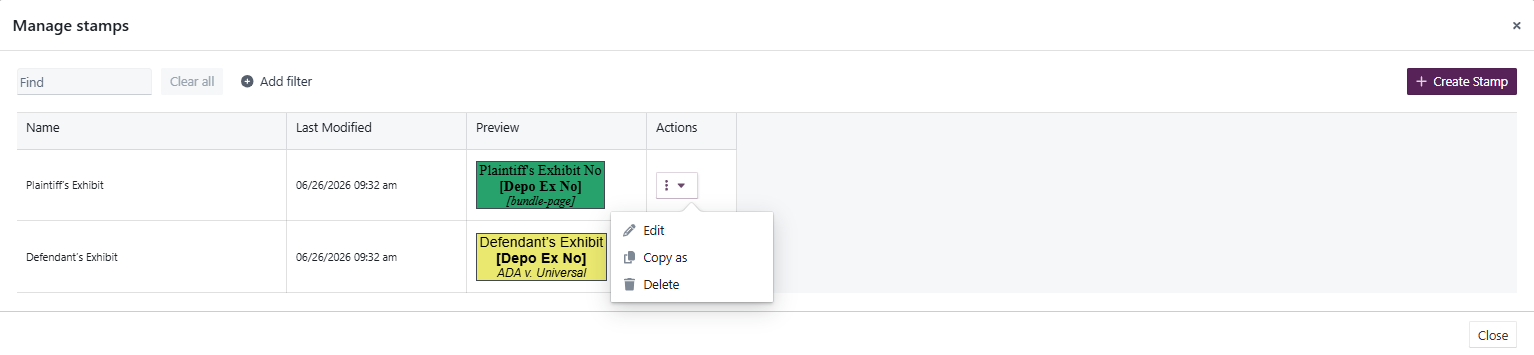
Users can now:
- Create new stamps
- Edit existing stamps
- Duplicate stamps using Copy As
- Delete obsolete stamps
Enhanced Search and Filtering
The Manage Stamps experience includes:
- Search by stamp name
- Sort by available columns
- Advanced filtering
- Bulk filtering using:
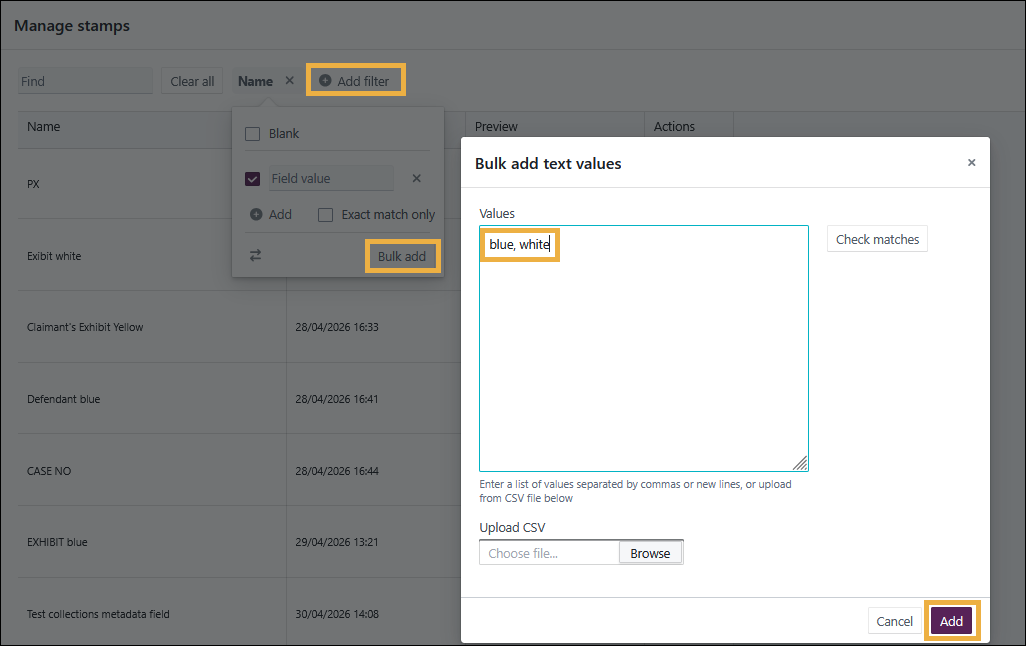
- Comma-separated lists
- Multi-line entries
- CSV file uploads
Continuous page numbering across bundle sections in stamps
You can now add a Collection Page Number field to stamps.
Previously, page number stamps relied on document or section-level page numbering. Where bundle sections used prefixes (for example, A1, A2, B1, B2), the page numbering displayed in stamps restarted at the beginning of each section.
The new Collection Page Number field provides continuous page numbering across the entire bundle, reflecting the final pagination of the exported document regardless of section prefixes.
This is particularly useful for bundles that require a single continuous page sequence across all sections.
Applying Stamps
Apply Stamps to Individual Documents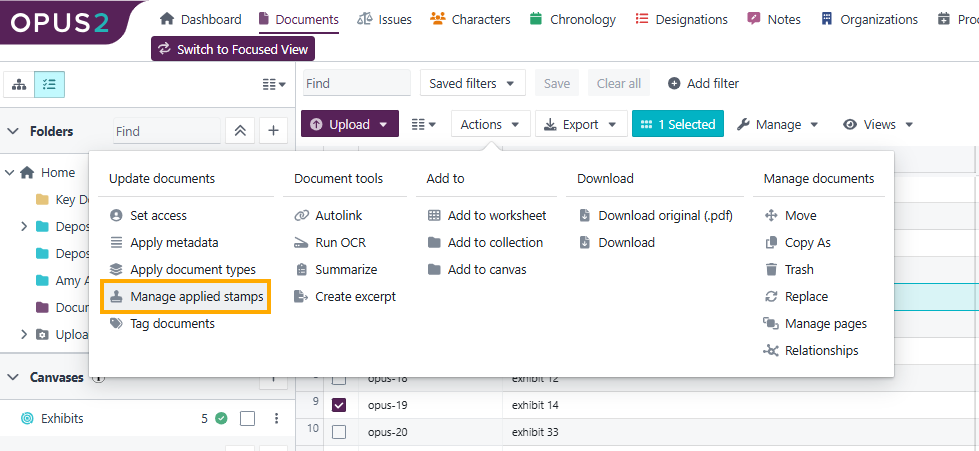
Users can:
- Add stamps directly to documents
- Preview placement before saving
- Remove specific stamps without impacting others
Apply Stamps to Collections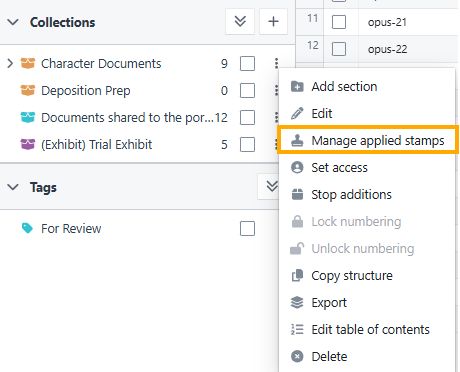
Stamps can now be associated with entire collections (bundles).
Benefits include:
- Apply a stamp once to a collection, and it will automatically be used across contained documents.
- Add stamps to empty collections before adding documents.
- Automatically apply collection stamps to newly added documents.
Stamps now apply to cover pages and the Table of Contents
Stamps can now be applied to cover pages and Table of Contents pages during export.
Previously, stamps were applied only to the documents contained within a bundle, leaving the cover page and Table of Contents unstamped.
With this update, configured stamps are applied consistently throughout the entire exported bundle, including:
- Cover pages
- Table of Contents pages
- Bundle documents
This ensures a consistent appearance and page-numbering experience from the beginning of the bundle through to the final document.
Improved Stamp Removal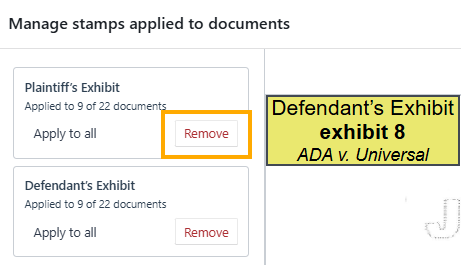
Users can remove individual stamps from:
- Documents
- Collections
When removing a stamp from a collection:
- Existing document stamps remain unchanged.
- Only the collection-level association is removed.
Per-Page Stamp Positioning and Rotation
A significant enhancement allows stamps to be adjusted independently on individual pages within a document.
Page-Level Positioning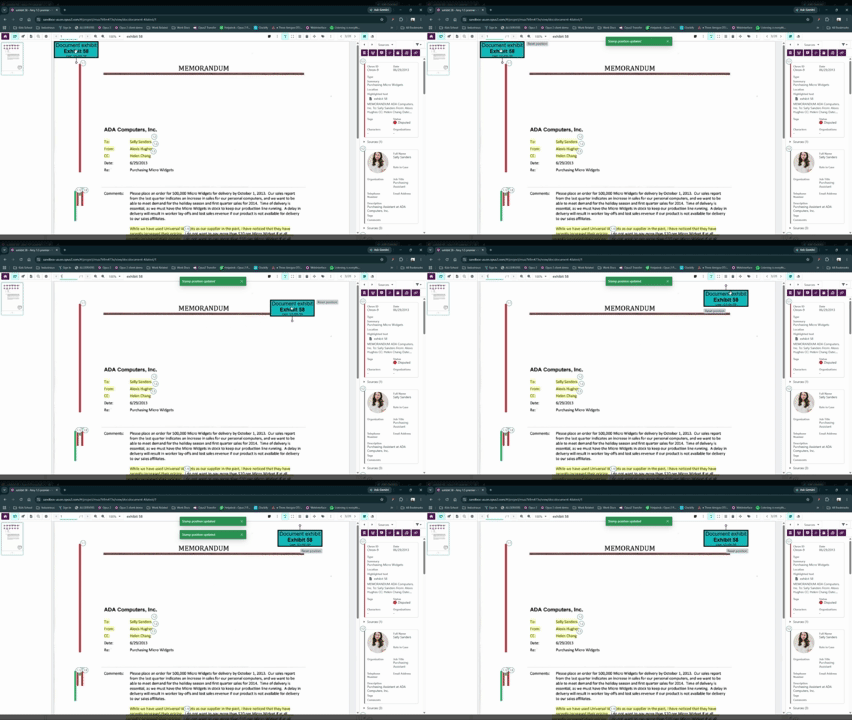
Users can:
- Move a stamp to a different position on a specific page.
- Preserve default placement on all other pages.
Page-Level Rotation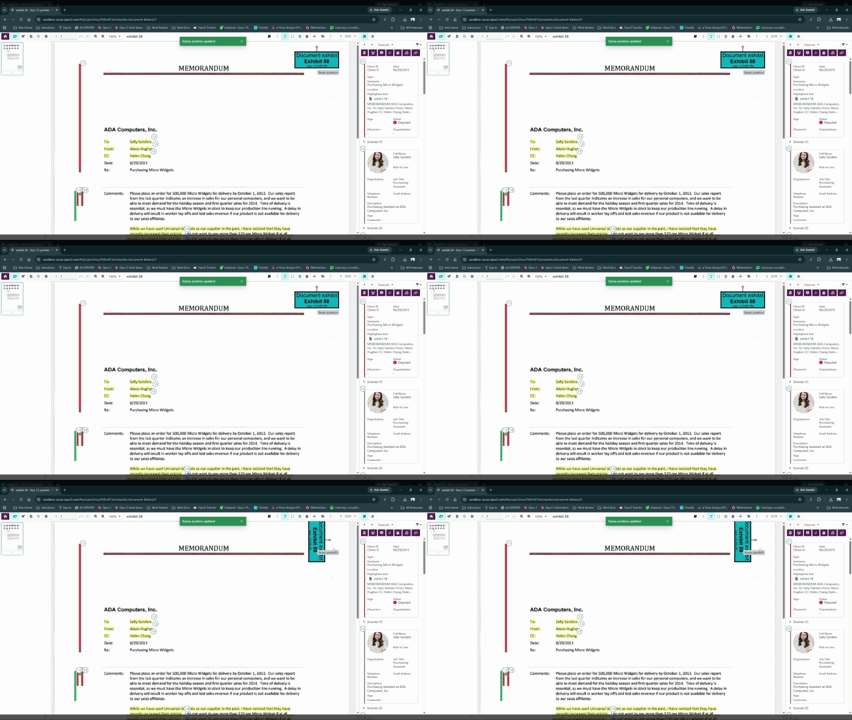
Users can:
- Rotate stamps on individual pages.
- Accommodate landscape pages and mixed-orientation documents.
Reset Page Adjustments
If needed, users can restore the original stamp configuration by selecting Reset Position, which returns the stamp to its default placement and rotation for that page.
Automatic Saving
All page-specific adjustments are automatically saved when the Document Viewer is closed.
Export Support
Custom page-level configurations are preserved during document exports, ensuring output matches what users configured within the platform.
Key Benefits
✅ Create consistent firm-branded document stamps
✅ Combine multiple metadata fields into a single stamp
✅ Reduce manual stamp configuration effort
✅ Apply stamps across entire collections
✅ Remove individual stamps without affecting others
✅ Support complex legal document workflows
✅ Handle mixed page orientations with page-specific adjustments
✅ Maintain stamp positioning and rotation during export
Important Notes
- Metadata fields with no value will appear blank when a stamp is applied.
- Page-specific stamp adjustments only affect the page being modified.
- Collection-level stamp removal does not remove stamps already applied to documents.
- Source documents remain unchanged when modifying stamp settings on collection items.
- All stamp positioning and rotation customizations are retained in exports.
Upcoming features
Search
We're improving our Search functionality to deliver faster, more accurate, and more reliable results.
These updates seek to:
- Return results more quickly and with greater accuracy.
- Provide clearer, more consistent highlighting so results are easier to understand and trust.
- Enable us to detect and resolve issues earlier through improved monitoring.
Related documentation
Opus 2 has help information accessible from within the application; accessible by clicking the question mark and then selecting Documentation in the upper right area of the platform application. You can also access the documentation at: Opus 2 Support.
How to contact us
To contact us about the documentation, or if you have any other questions or issues about Opus 2 solutions, contact Opus 2 Platform Support by emailing Opus 2 Platform Support.