
| Minimum Software Version | 8.14.3 |
| Solution(s) | Cases International ✓ Cases US ✓ Institutions ⨉ |
Explains how to generate and manage application tokens for authenticating third-party integrations with the Opus 2 REST API.
Third-party software vendors can integrate with Opus 2 via REST API. Once set up, a user generates an application token from within the platform and provides it to the third-party application, which uses it to read and write content via the API as an alternative to logging in through the user interface.
Requests to the external API execute as a specified user within the Opus 2 Platform. This can be a real user or an automation user created specifically for API use. Requests made through the API carry the same permissions and capability checks as that user when accessing Opus 2 via the user interface. Requests are authenticated with a bearer token generated when the user is logged into the platform.
Prerequisites
Log into the platform as the user who will be using the API.
Generating an application token
- Select your user profile.
- Select the Application tokens tab.
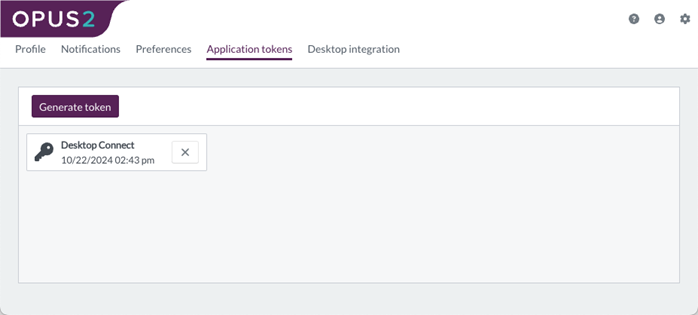
- Select Generate token.
- Ensure the API version is set to V8.
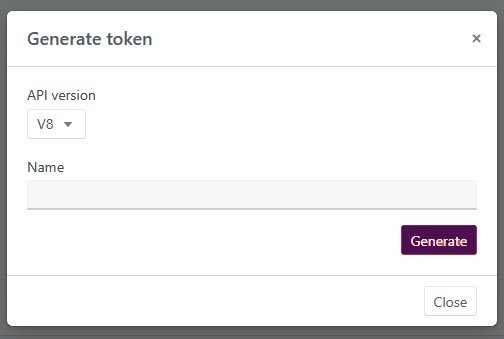
- Give the token a name.
- Select Generate.
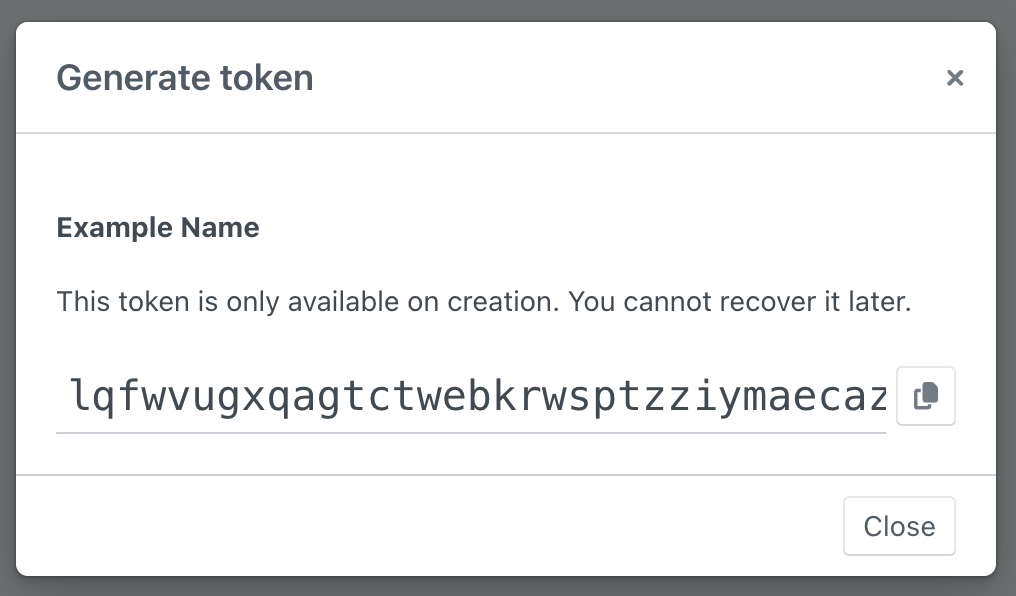
- Copy and paste the token into the third-party system (or your own code) that will use the API.
Important: This token is confidential and should be treated in the same manner as a password. Once generated, tokens cannot be recovered from Opus 2. A user may generate new tokens at any time and replace their token in the external system.
Revoking a token
- Select the Application tokens tab.
- Select the X on the token to be revoked.
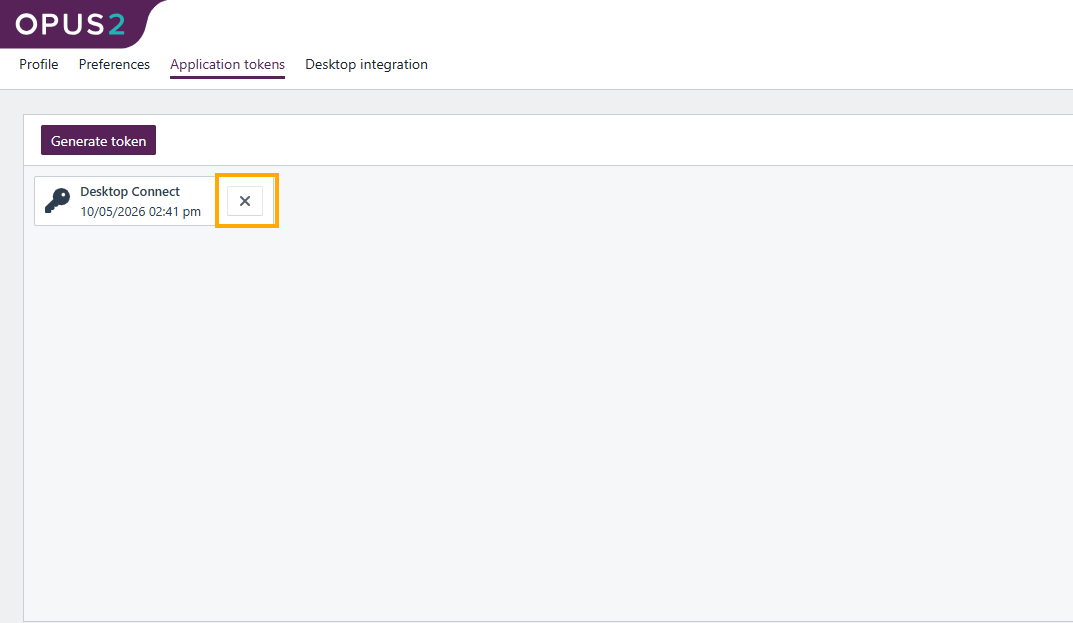
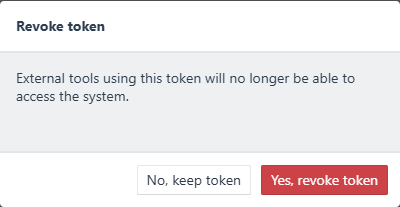
- Select Yes, revoke token.
Related links
Related documentation
Opus 2 has help information accessible within the application; click the question mark and then select Documentation in the upper-right area of the platform. You can also access the documentation at: Opus 2 Support.
How to contact us
To contact us about the documentation, or if you have any other questions or issues about Opus 2 solutions, contact Opus 2 Platform Support by emailing Opus 2 Platform Support.