
| Minimum Software Version | 9.51.0 |
| Solution(s) | Hearings ⨉ Cases International ✓ Cases US ✓ Institutions ⨉ Counsel ✓ |
User Experience Improvements
Bar charts now support persistent data labels
A new chart setting allows values to be displayed directly on bar chart bars at all times, without requiring hover interaction.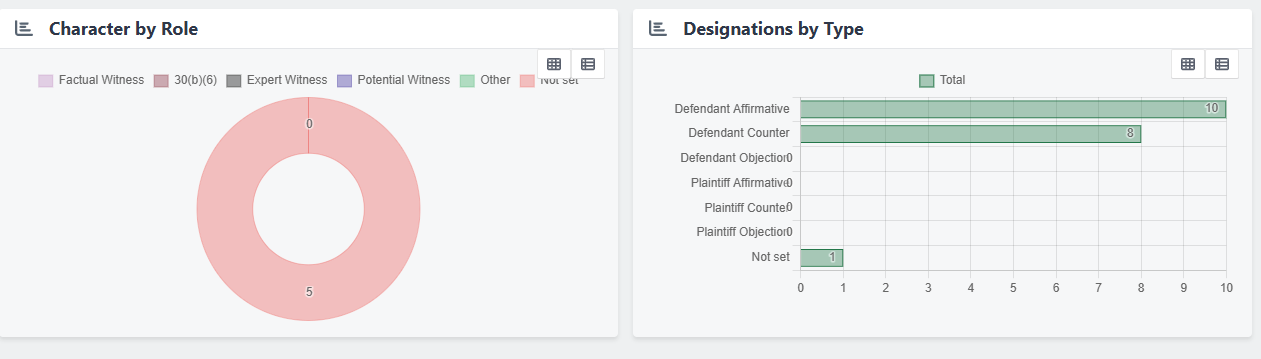
Previously, data labels were only visible on hover, reducing readability and creating barriers for users with motor impairments or those sharing screenshots.
The new setting can be enabled to display labels persistently, improving readability and accessibility.
Table of Contents: Indent sub-sections option disabled when no sub-sections exist
The Indent sub-sections option in the Table of Contents Editor is now automatically disabled when no sub-sections are present.
Previously, the option remained available even when there were no sub-sections to indent, producing no visible effect and creating a confusing experience.
The control is now greyed out and cannot be selected unless sub-sections exist.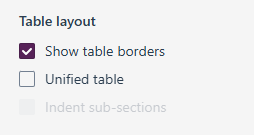
Search performance and highlighting improvements (APAC Early Access)
Available to select APAC users as part of an early access rollout.
Search now returns results faster and highlights matching content more accurately for participating APAC users.
Previously, retrieval speed and hit highlighting could be inconsistent, making it more difficult to quickly locate relevant information. These improvements help users find information more efficiently and make matching content easier to identify within search results.
This enhancement is currently available only to select APAC members and will be rolled out more broadly in a future release.Correct profile images now displayed in Admin Users search results
Searching for users in the Admin Users table now displays the correct profile image for each result.
Previously, the image from the first row of the table could appear for all search results regardless of which user was returned.
Each result now displays its own associated profile image correctly.
Designation paste no longer copies source ranges
Pasting a designation now transfers field values only, excluding the source designation range.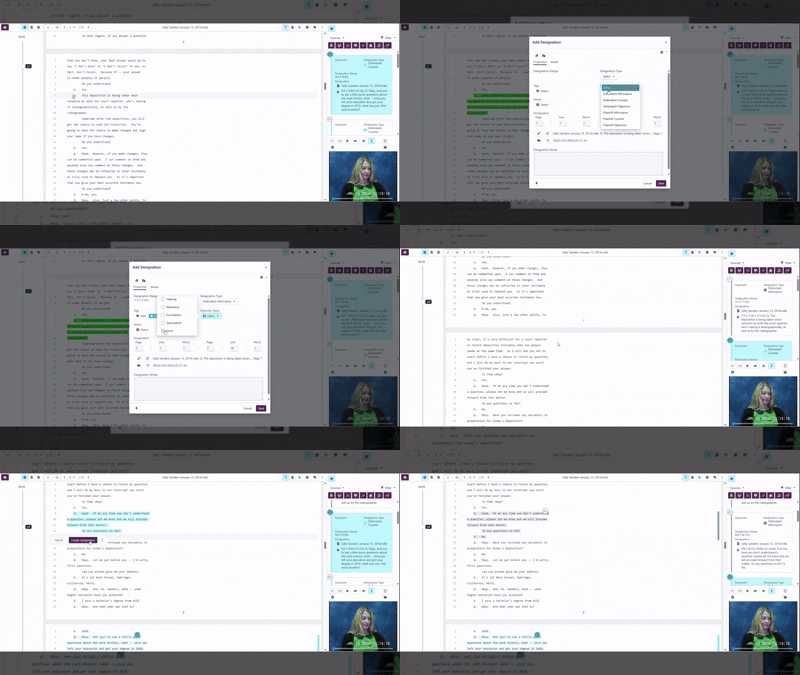
Previously, the range from the source record was carried over unintentionally during the paste operation, which could result in incorrect range information being applied to the pasted designation.
The paste operation has been updated to exclude the source range. This builds on the designation paste improvements introduced in the July release.
Bug Fix - Improved reliability when processing video uploads
Video uploads now process more reliably and record accurate duration values.
Previously, a timing issue between ingestion and media processing could occasionally cause videos to be recorded with a duration of zero seconds.
Processing has been updated to ensure ingestion and media processing occur in the correct sequence, preventing incorrect duration values from being recorded.
Bug Fix - Standalone worksheet mode restored
Switching a worksheet to standalone mode now functions as expected.
Previously, a conflict introduced by the Quick Add Actions release could cause the standalone mode switch to fail.
The conflict has been resolved, and standalone worksheets behave as expected.
Upcoming features
Search Improvements (Upcoming for North American & European Clients)
Search is being enhanced to deliver faster, more accurate results for North American and European clients. Improvements include clearer, more consistent highlighting of matching content, making it easier to identify relevant information within search results.
In addition, enhanced monitoring capabilities will help detect and resolve search-related issues more quickly, supporting a more reliable search experience.
These improvements are planned for an upcoming release and will be available to North American and European clients as part of the rollout.
Dedicated Transcript Tab in Case Navigation
A dedicated Transcript tab is being introduced within case navigation, providing quicker access to transcript content directly from a case. The tab is currently behind a feature flag while development continues; transcript-specific functionality and workflows will be added in future releases.
Selective Export of Collection Items
Users will be able to export specific items from a collection without exporting the collection in its entirety, providing greater flexibility when preparing document sets for review or sharing. The feature is currently behind a feature flag with initial support for ZIP-based exports; additional export options are planned.
Related documentation
Opus 2 has help information accessible from within the application; accessible by clicking the question mark and then selecting Documentation in the upper right area of the platform application. You can also access the documentation at: Opus 2 Support.
How to contact us
To contact us about the documentation, or if you have any other questions or issues about Opus 2 solutions, contact Opus 2 Platform Support by emailing Opus 2 Platform Support.