
| Minimum Software Version | 8.18.10 |
| Solution(s) | Cases International ✓ Cases US ✓ Institutions ⨉ Counsel ✓ |
Explains how project administrators can configure notification rules to automatically send emails when specific events occur within a project.
The Notifications feature allows project administrators to define automated rules that control when notifications are sent, what triggers them, who receives them, and what the notification contains. Notification rules are useful for keeping stakeholders informed of key changes such as record updates, document activity, or date-based alerts.
Notifications are configured at the project level and apply to all users or groups specified in each rule. Individual users cannot opt themselves into notifications — all notifications must be centrally configured by an administrator with the appropriate permissions.
Adding a new notification rule
New rules are created from the Rules tab within the Project settings menu.
- Open the project.
- Navigate to Project settings.
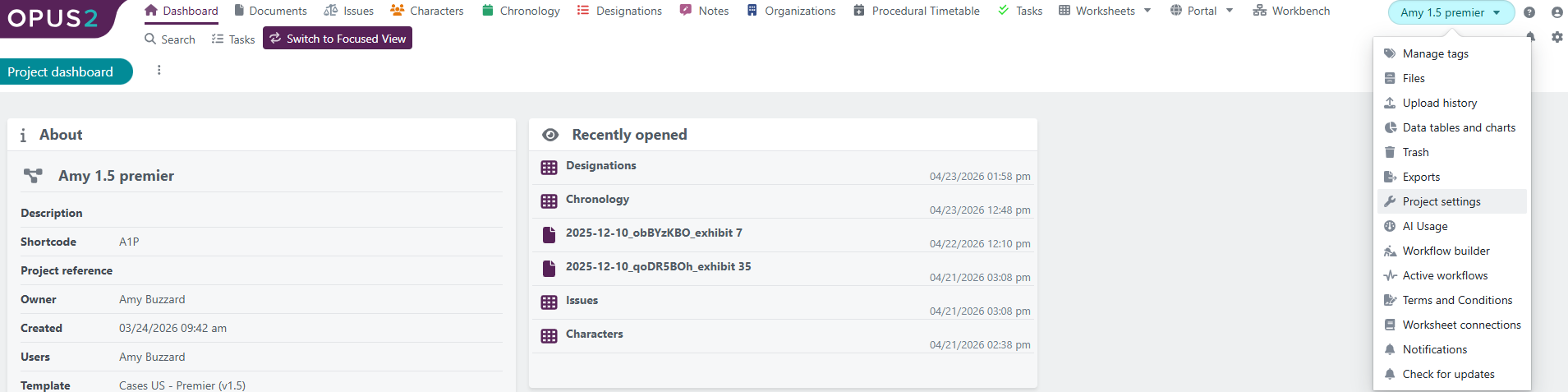
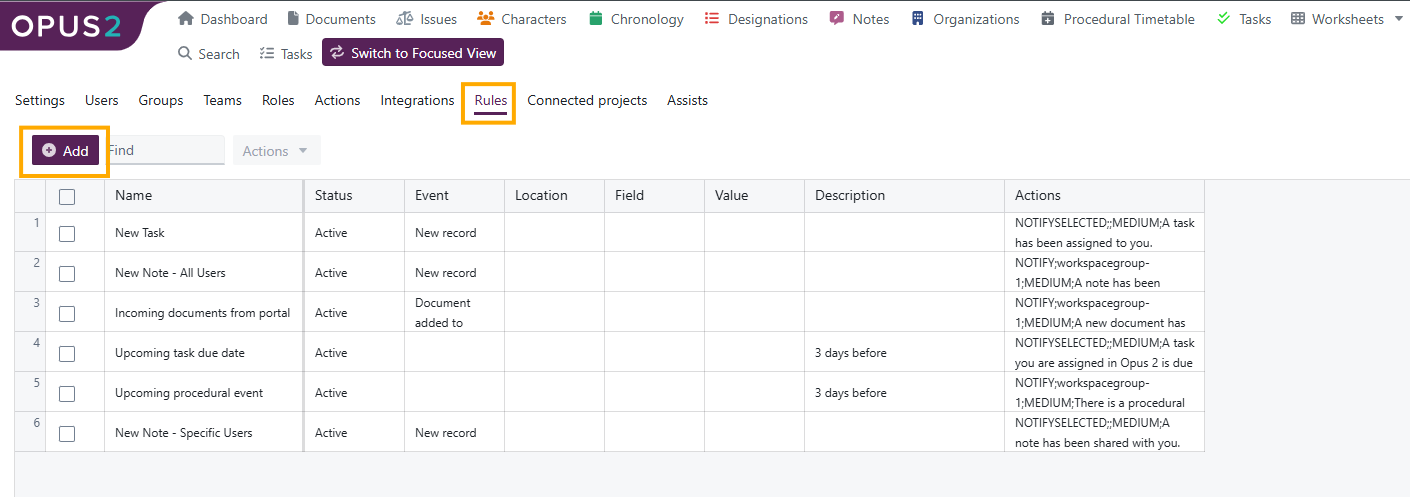
- Select the Rules tab.
- Select + Add.
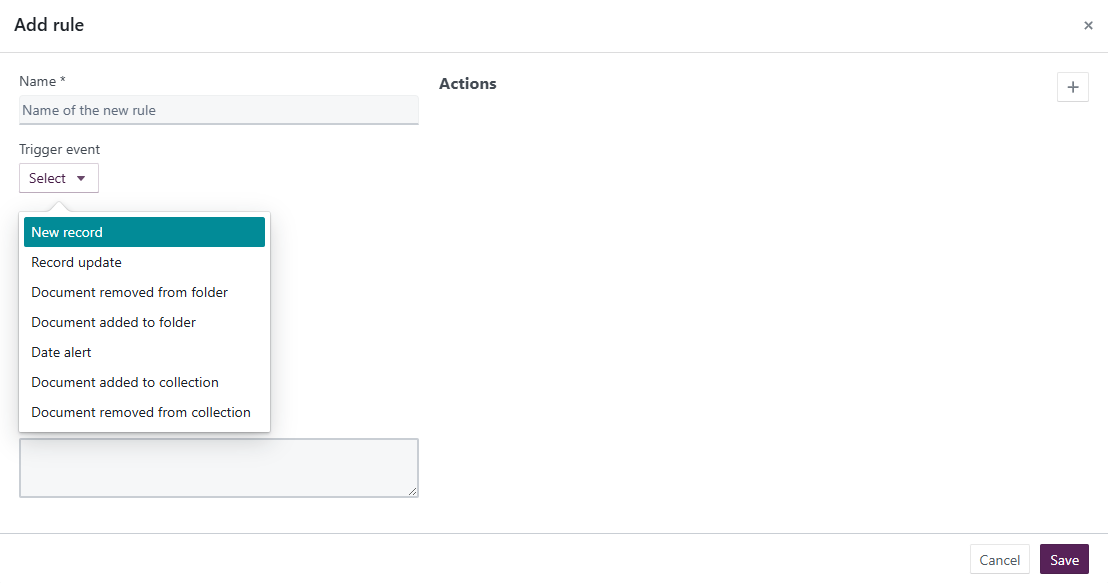
- Configure the rule using the fields described below.
- Select Save.
- Activate the rule to begin sending notifications.
Notification rule configuration options
Name
A descriptive name for the rule. Use clear naming so the rule is easy to identify in long lists.
Trigger event
| Trigger | Description |
|---|---|
| New record | Sends a notification when a new record is added to the selected worksheet. |
| Record change | Sends a notification when an existing record is edited or deleted. |
| Document added to folder | Triggers when a document is uploaded into or moved into a specified folder. |
| Document removed from collection | Triggers when a document is moved out of or deleted from a specified collection. |
| Document added to collection | Triggers when a document is uploaded into or moved into a specified collection. |
| Date alert | Triggers based on a date field in a worksheet, either on the date itself or a specified time before or after (minutes, hours, days, weeks, months, or years). |
Description
Optional text to describe the purpose of the rule.
Actions
| Option | Description |
|---|---|
| Notify: Fixed users or groups | Sends an email to selected users or groups within the project. |
| Notify: Context-dependent user | Sends notifications to users listed in a worksheet field of type User or Multiple users, allowing recipients to vary by record. |
Email subject
The subject line of the notification email.
Notification text
The body content of the email sent when the rule triggers.
Managing notification rules
Once configured, notification rules appear in a table on the Rules page. Administrators can perform the following actions:
- Activate – Enables the rule so it begins sending notifications.
- Deactivate – Disables the rule without deleting it. Deactivation is indefinite and reversible.
- Edit – Updates rule settings.
- Delete – Permanently removes the rule. Deleted rules cannot be restored.
Related links
Related documentation
Opus 2 has help information accessible within the application; click the question mark and then select Documentation in the upper-right area of the platform. You can also access the documentation at: Opus 2 Support.
How to contact us
To contact us about the documentation, or if you have any other questions or issues about Opus 2 solutions, contact Opus 2 Platform Support by emailing Opus 2 Platform Support.