
| Minimum Software Version | Spring26 |
| Solution(s) | Hearings ⨉ Cases International ✓ Cases US ✓ Institutions ⨉ Counsel ✓ |
The Stamps feature allows for the creation and application of bespoke stamps. Stamps are configurable collections of document metadata that can be positioned and styled to comply with US and UK legal workflows.
You can add one or more stamps to a collection.
Applying a stamp to a collection containing documents
- In the Documents page, select a collection (bundle) that contains documents to which you wish to apply a stamp.
- Select 3-dot kebab menu > Manage applied stamps.
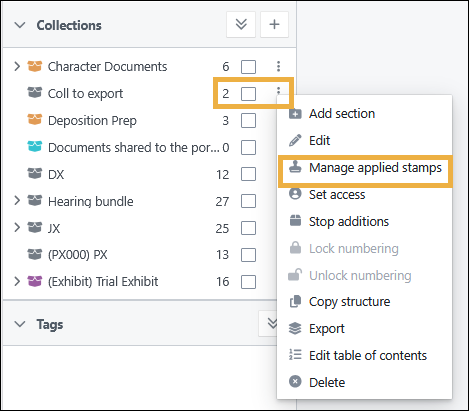
The Applied stamps dialog opens.
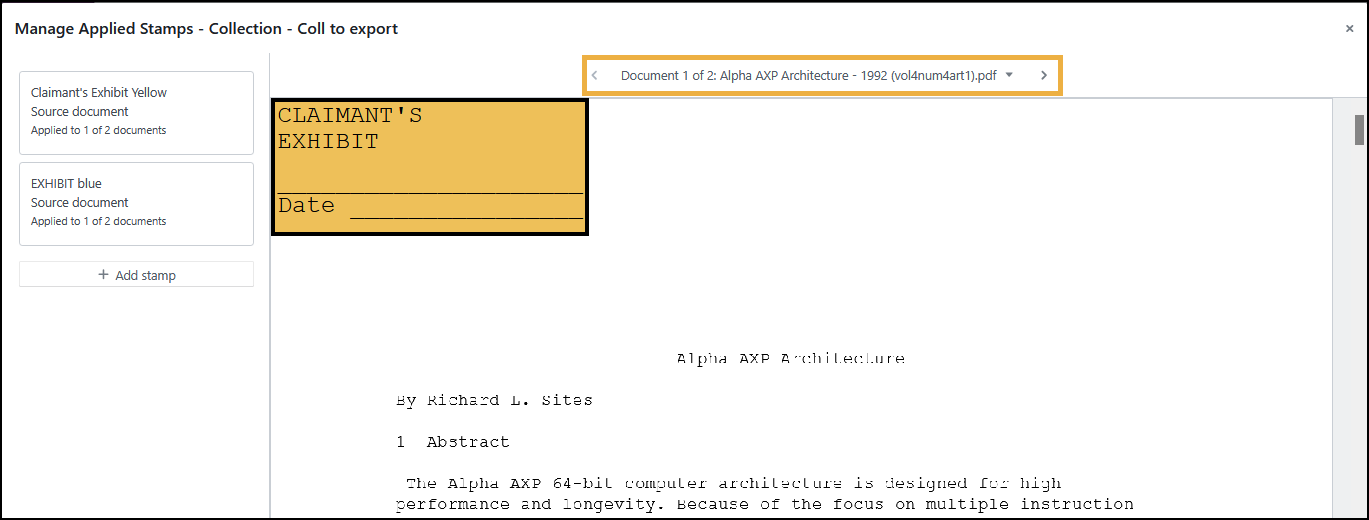
Tip: Select the arrows at the top of the preview to move between documents in the collection.
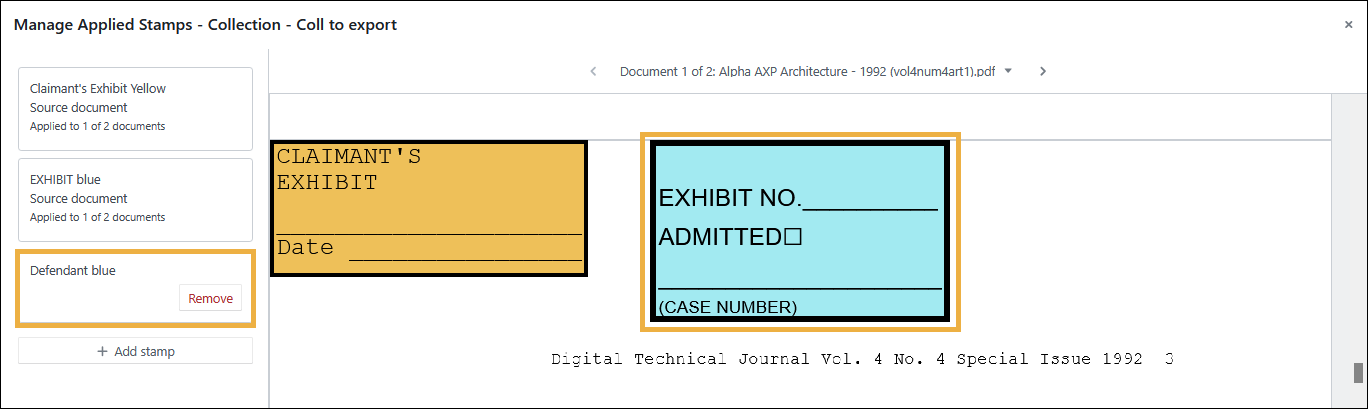
- Select Add stamp.
- Select a stamp from the dropdown list and then select Add.
The added stamp appears on the document in the preview.
Applying a stamp to an empty collection
- In the Documents page, select an empty collection.
- Select 3-dot kebab menu > Manage applied stamps.
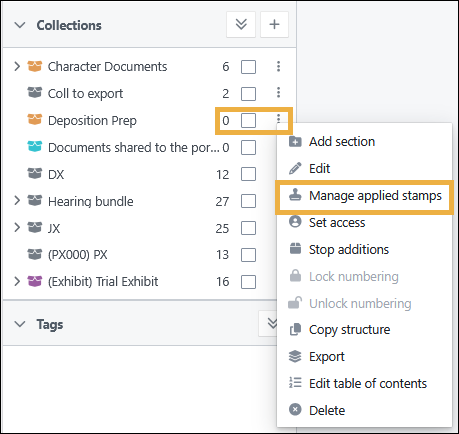
The Applied stamps dialog opens. 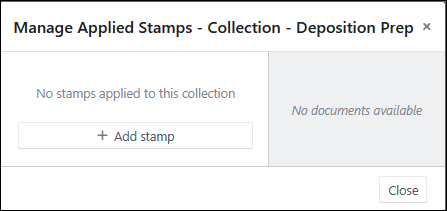
- Select Add stamp.
- Select a stamp from the dropdown list and then select Add.
The message confirms that a stamp has been added to your collection.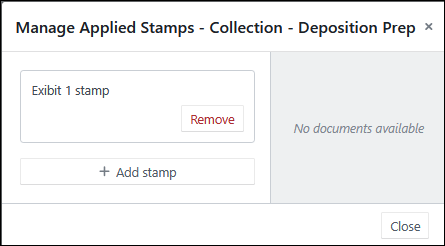
- Select Close.
When you add documents to that empty collection, the stamps associated with that collection are automatically applied.
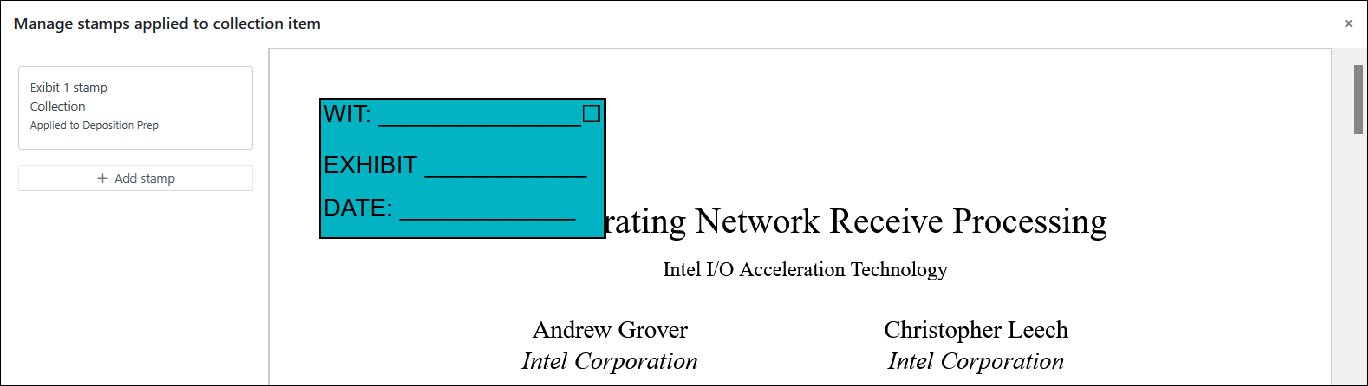
Removing a stamp from a collection
- In the Documents page, select a collection.
- Select 3-dot kebab menu > Manage applied stamps.
The Applied stamps dialog opens.
- Select Remove for the stamp you wish to remove.
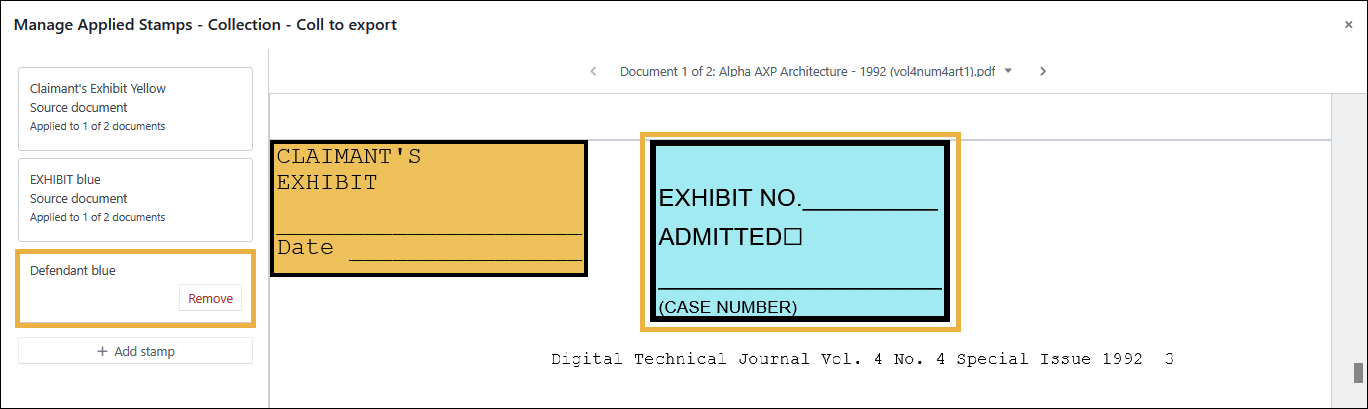 You can only remove stamps that were added to the COLLECTION. This is why you won't see a Remove button for stamps that were added to an individual document.
The stamp is removed from the collection.
Removing a stamp from the collection does not remove stamps that have already been applied to documents. Any stamps previously applied to a document will remain intact. This action only removes the stamp from the collection.
Related articles