
| Minimum Software Version | 9.64.1 | Date: August 2026 |
| Solution(s) | Hearings ⨉ Cases International ✓ Cases US ✓ Institutions ⨉ Counsel ✓ |
New release
This is a maintenance release. There are no new features in v9.64.1.
Improvements
This release resolves the following improvements:
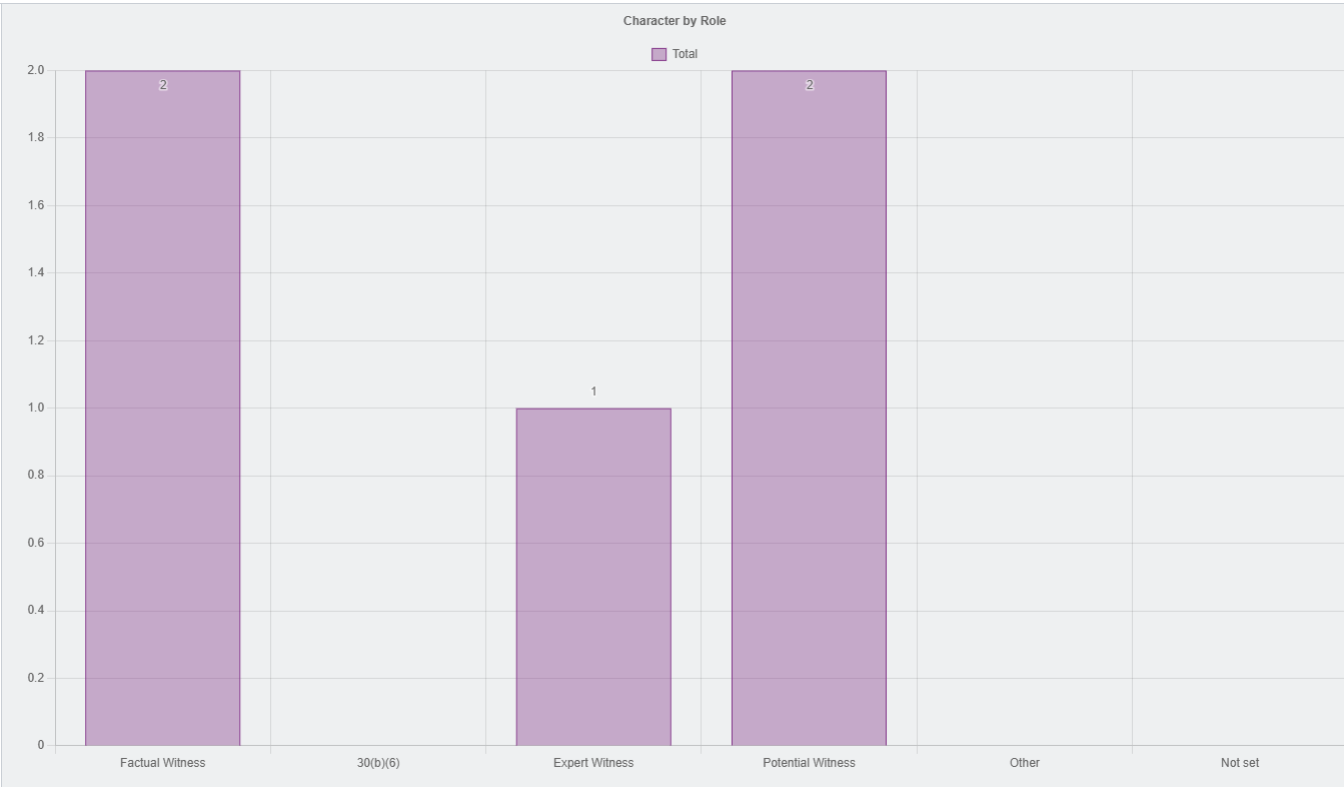
- Bar charts — persistent data labels: A new chart setting lets users display values directly on bar chart bars at all times, without requiring hover interaction. This improves readability and supports accessibility for users with motor impairments or those sharing screenshots.
Customer-reported fixes
This release resolves the following issue raised by customers:
- CS3-216 — Session timeout re-login experience (Cases International, Cases US, Counsel): Users can now sign back in from the same browser tab after a session timeout without encountering an authentication error. Previously, re-entering credentials in the same tab after a session had expired could result in a sign-in failure and an error response,
{"error":"Unauthorized"},requiring users to close the tab and start a new session. The authentication flow has been updated to handle expired sessions correctly, allowing uninterrupted re-login from the same tab.
Bug fixes
There are no additional engineering fixes in this release.
Upcoming release
The following features are in progress and expected in a future release.
- Search improvements (North American clients): Search is being enhanced to deliver faster, more accurate results. Planned improvements include clearer, more consistent highlighting of matching content to make it easier to identify relevant information within results. Enhanced monitoring capabilities are also expected to help detect and resolve search-related issues more quickly. This enhancement is currently available to a limited group of North American clients and will be rolled out more broadly in a future release.
- Selective export of collection items: Users will be able to export specific items from a collection without exporting the entire collection, providing greater flexibility when preparing document sets for review or sharing. Initial support is planned for ZIP-based exports, with additional export options to follow.
Related documentation
Opus 2 has help information accessible from within the application; it is accessible by clicking the question mark and then selecting Documentation in the upper-right area of the platform application. You can also access the documentation at: Opus 2 Support.
How to contact us
To contact us about the documentation, or if you have any other questions or issues about Opus 2 solutions, contact Opus 2 Platform Support by emailing Opus 2 Platform Support.