
| Minimum Software Version | 10.1.0 |
| Solution(s) | Hearings ⨉ Cases International ✓ Cases US ✓ Institutions ⨉ Counsel ✓ |
Start time, end time, and duration values for designations can be surfaced by creating derived fields that draw from the Designation Range field. Once created, these fields can be added to a card layout and included in PDF or Word exports.
Derived fields are calculated automatically from existing data in the worksheet, rather than being entered manually. For designations that include media, creating derived fields for start time, end time, and duration allows those timestamps to be pulled from the Designation Range field and displayed on designation cards or included in exports.
This is useful when producing reports or document sets where timestamp information needs to accompany designation content.
Note: you must have permission to edit worksheet fields to complete the steps below. If the Edit Worksheet option is not available to you, contact your System Administrator for assistance.
Creating the derived fields
- Go to Designations worksheet
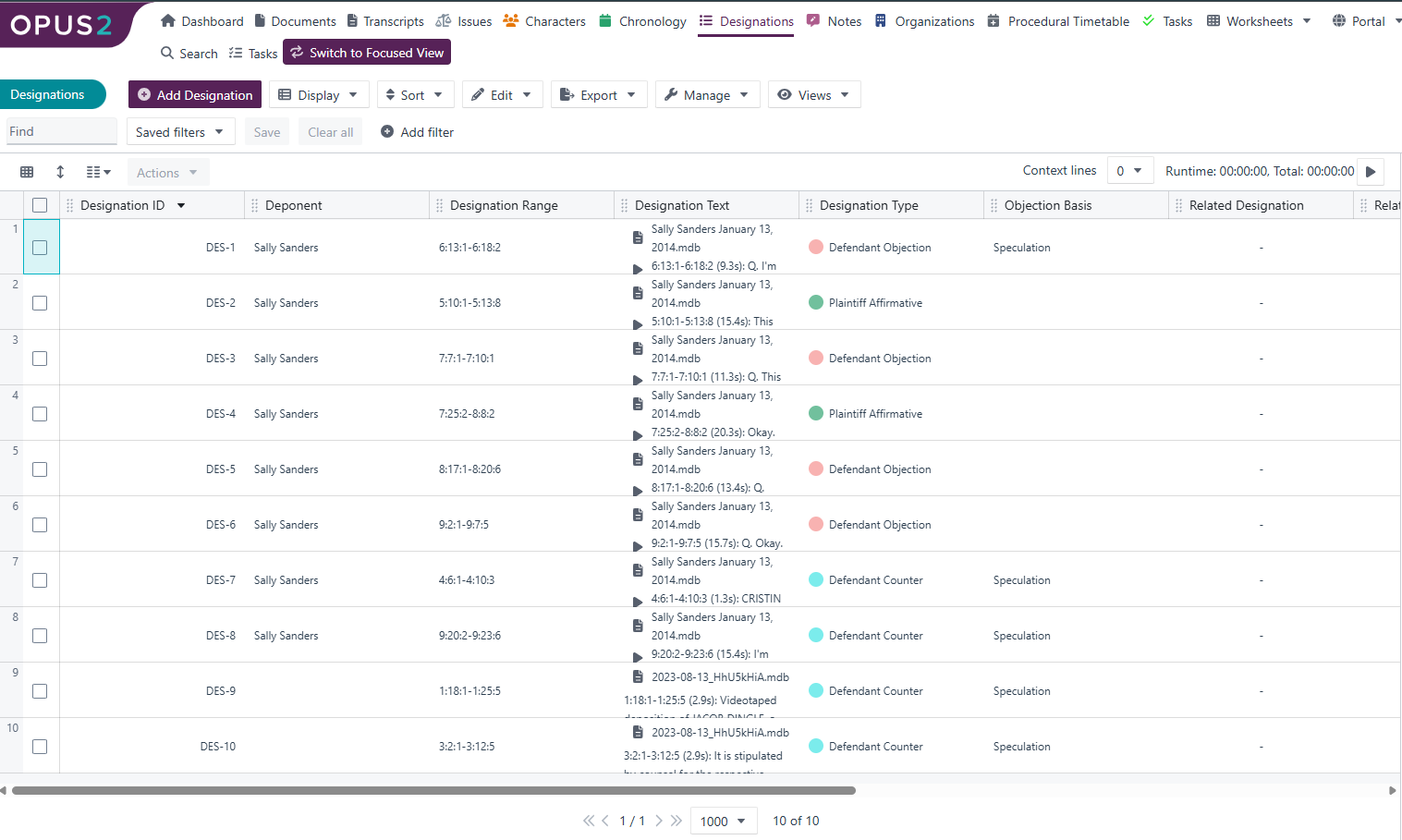
- Select Edit then Edit Worksheet to bring up the worksheet configuration dialog.

- Navigate to the Fields section to create these new fields.
- Navigate to Calculated fields and select Derived field.
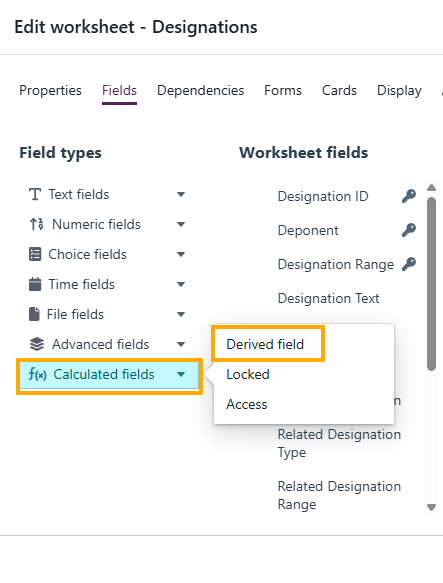
- Create a derived field for Start time, setting the source to the Designation Text.
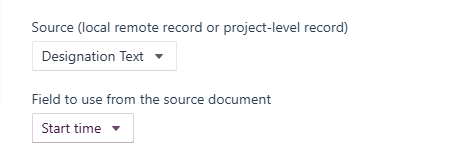
- Repeat the same steps to create derived fields for End time and Duration.
Adding the fields to the card layout
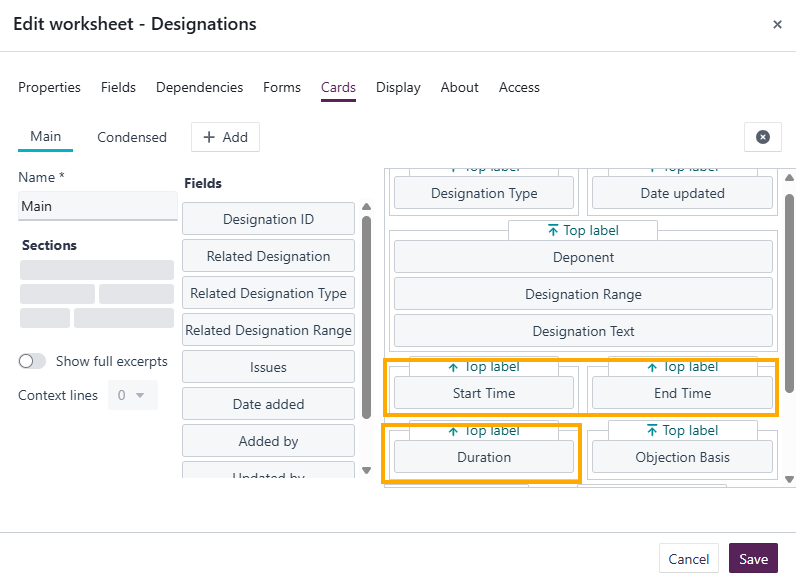
- Go to Cards and select Main.
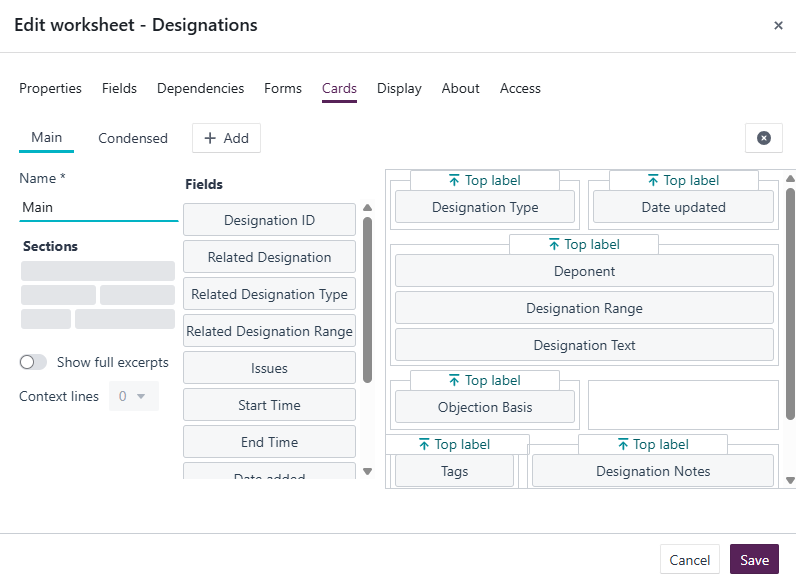
- Add the newly created Start time, End time, and Duration fields to the card layout.
Verifying the timestamps
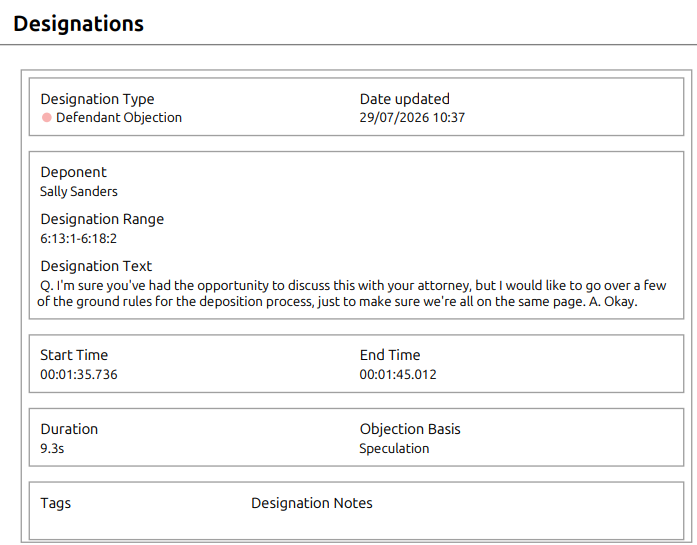
- Export the worksheet as a PDF or Word document and confirm that the timestamp fields appear as expected in the output.
Examples
If a designation covers a video segment from 00:01:12 to 00:02:45, the derived Start time field will display 00:01:12, the End time field will display 00:02:45, and the Duration field will automatically calculate the segment length from the Designation Range.
Related links
Related documentation
Opus 2 has help information accessible within the application; click the question mark and then select Documentation in the upper-right area of the platform. You can also access the documentation at: Opus 2 Support.
How to contact us
To contact us about the documentation, or if you have any other questions or issues about Opus 2 solutions, contact Opus 2 Platform Support by emailing Opus 2 Platform Support.