
| Minimum Software Version | 10.49.8 |
| Solution(s) | Hearings ⨉ Cases International ✓ Cases US ✓ Institutions ✓ Counsel ✓ Focused View ⨉ |
This release makes tags quicker to reach and tidies the Documents table, toolbar, and filters.
New release
This release puts tag management closer to where you already work with tags.
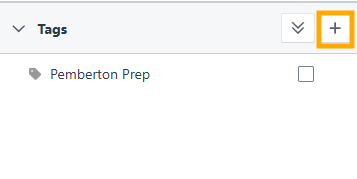
- Manage tags button in the Tags panel: A + button now sits in the Tags panel header, beside the expand and collapse control. Select it to open the Manage tags dialog, where you can find, add, and edit tags.
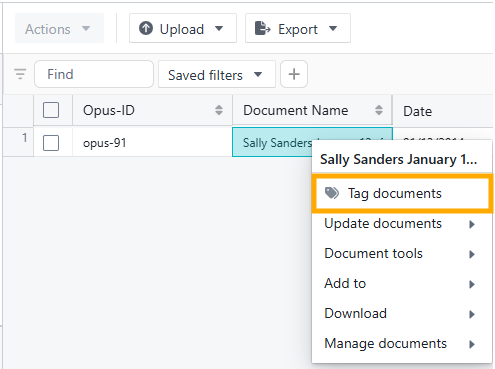
- Tag documents first in the right-click menu: Tag documents has moved from the Update documents submenu to the top of the right-click menu, so you can start tagging straight from a right-click.
Improvements
These changes make the Documents view more consistent and easier to scan.
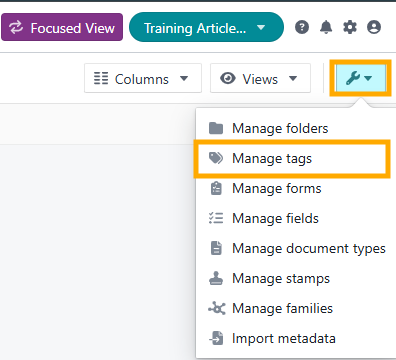
- Manage tags in the Manage menu: Manage tags has moved out of the project dropdown and now sits second in the Manage menu, alongside Manage folders, Manage forms, Manage fields, Manage document types, and Manage stamps.
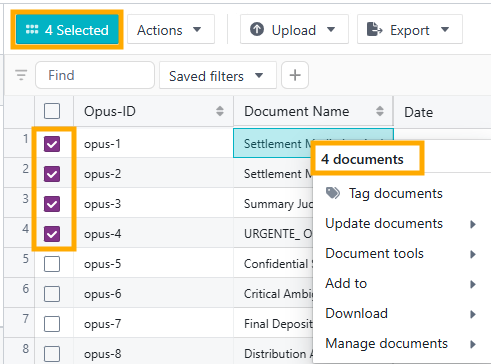
- Right-click actions apply to selected documents: Right-click actions now apply consistently to the documents you have selected. The menu opens with a heading that names them: the document name for a single document, or a count such as "4 documents" for several. You can see which documents an action will affect before you commit.
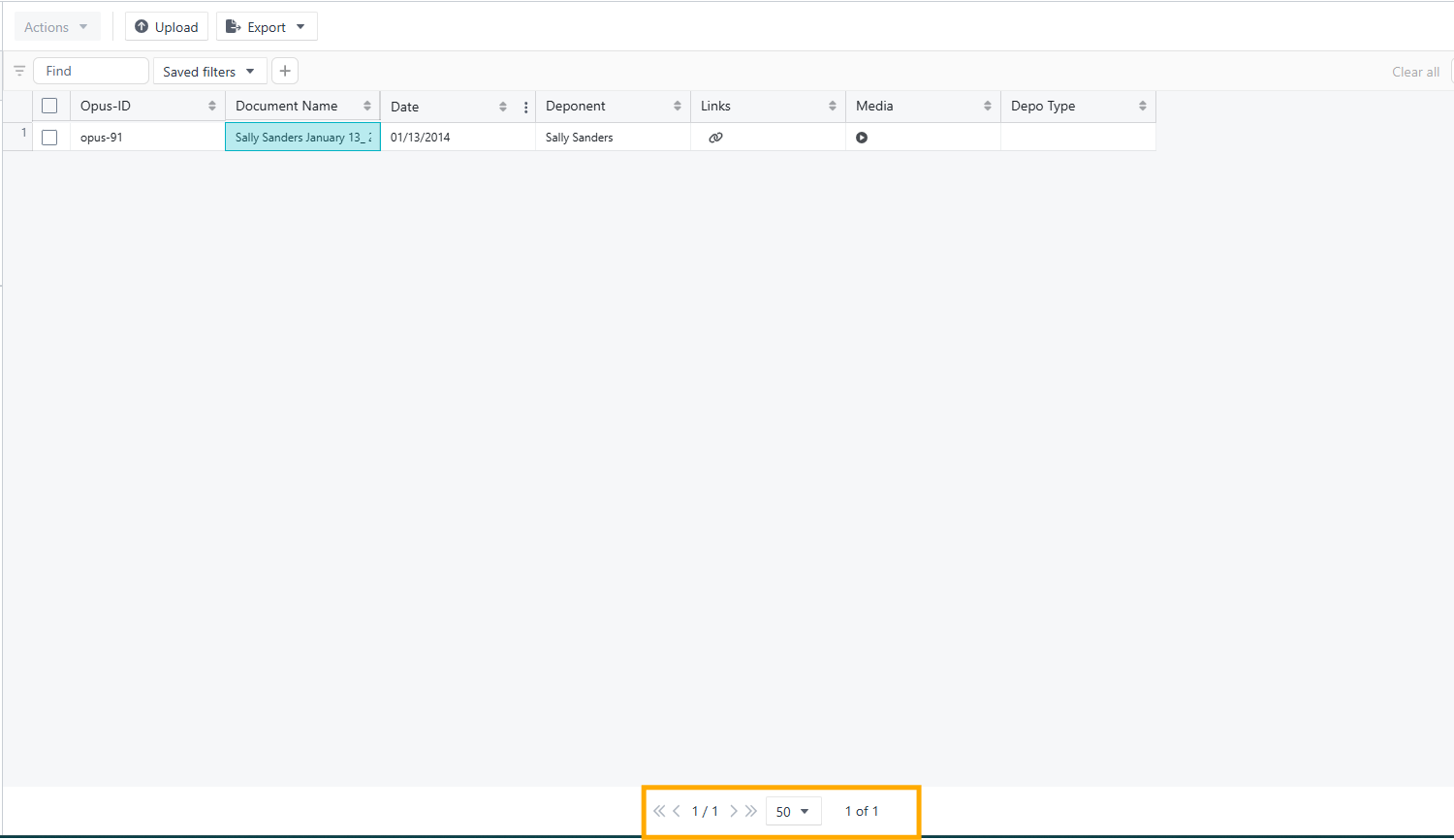
- Pagination placement: Pagination controls now stay at the bottom of the Documents table, whatever the row count, filtering, sorting, or other table state. They remain aligned with the table container and readable across common screen sizes. Page size options, navigation behaviour, and loading behaviour are unchanged.
- Mid toolbar: Existing toolbar actions are now aligned on a consistent baseline, evenly spaced, and grouped by intent, so the toolbar is easier to understand at a glance. It remains stable and readable across common screen sizes. No buttons have been added, removed, renamed, or changed in behaviour.

- New filter toolbar experience: Select the + icon (Add filter) beside Saved filters, then use the Advanced filter toggle to access grouped filtering. This replaces the Advanced view toggle under Saved Filters and the separate Basic filter button.
- Simple filters and advanced OR groups can now be used together.
- Advanced groups have a more compact layout, with cleaner AND/OR relationships.

- Group delete controls now sit at the top right, separate from + Add, so the two actions are easier to tell apart.
- These changes affect layout and discoverability only. The underlying filtering logic is unchanged.
Customer-reported fixes
There are no customer-reported fixes in this release.
Bug fixes
There are no bug fixes in this release.
Upcoming release
We are working on a DocuSign integration that lets you send documents for e-signature from Opus 2 while keeping each signature request connected to your matter record.
- Start on Opus 2, finish in DocuSign: You would start the request on Opus 2, then finalise and send it in DocuSign.
- Progress tracking: Automatic status updates are expected to show where each request stands.
- Signed documents returned: Completed documents are expected to return to your matter record automatically.
Related documentation
Opus 2 has help information accessible within the application; click the question mark and then select Documentation in the upper-right area of the platform. You can also access the documentation at: Opus 2 Support.
How to contact us
To contact us about the documentation, or if you have any other questions or issues about Opus 2 solutions, contact Opus 2 Platform Support by emailing Opus 2 Platform Support.