
| Minimum Software Version | 8.18.10 |
| Solution(s) | Cases International ✓ Cases US ✓ Institutions ⨉ Counsel ✓ |
Explains how system administrators can add, edit, or delete designation type and objection basis options by editing the Designations worksheet.
Designation types and objection basis values are controlled through the Designations worksheet configuration. Users with System Administrator permissions can manage these options to ensure they align with project or organisational requirements. Both are configured as choice fields within the worksheet, and changes take effect immediately for all users creating or editing designations.
Accessing the Designations worksheet configuration
- Navigate to the Designations worksheet.
- Select Edit from the dropdown menu.
- Choose Edit Worksheet.
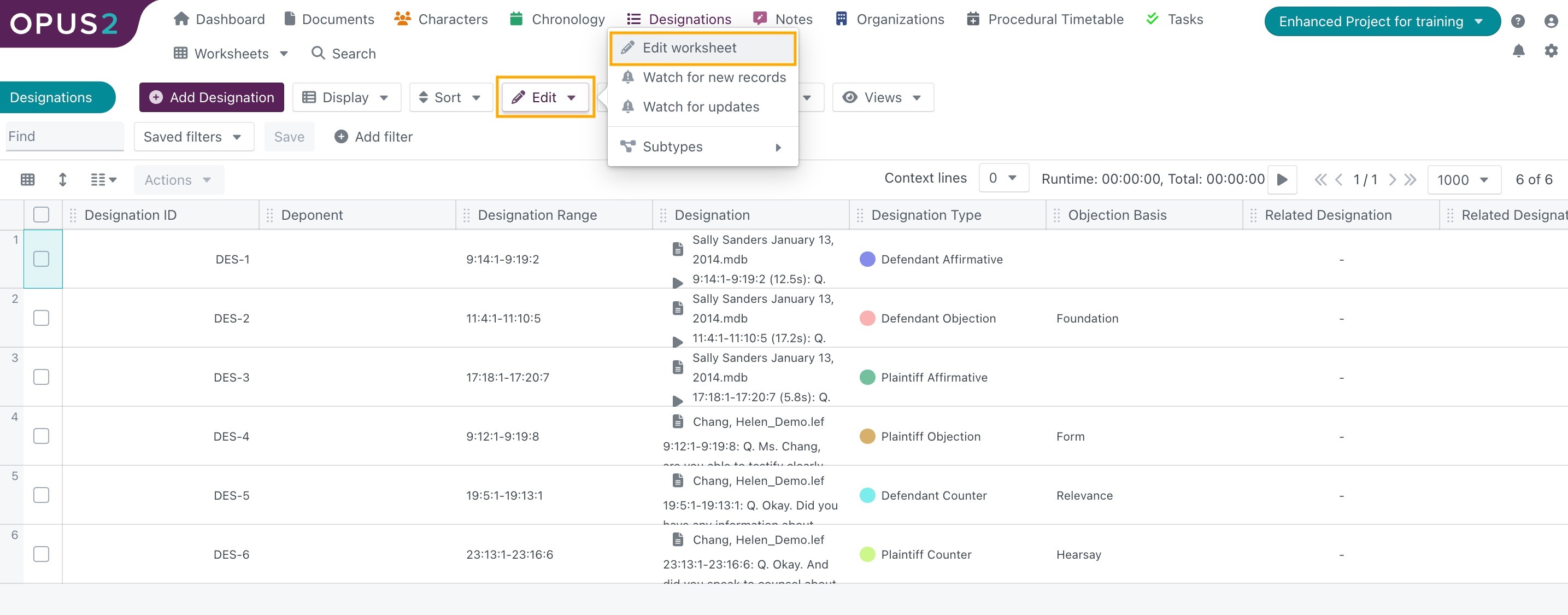
- In the Edit Worksheet dialog, open the Fields tab.
Editing designation types
- In the Fields list, select Designation Type.
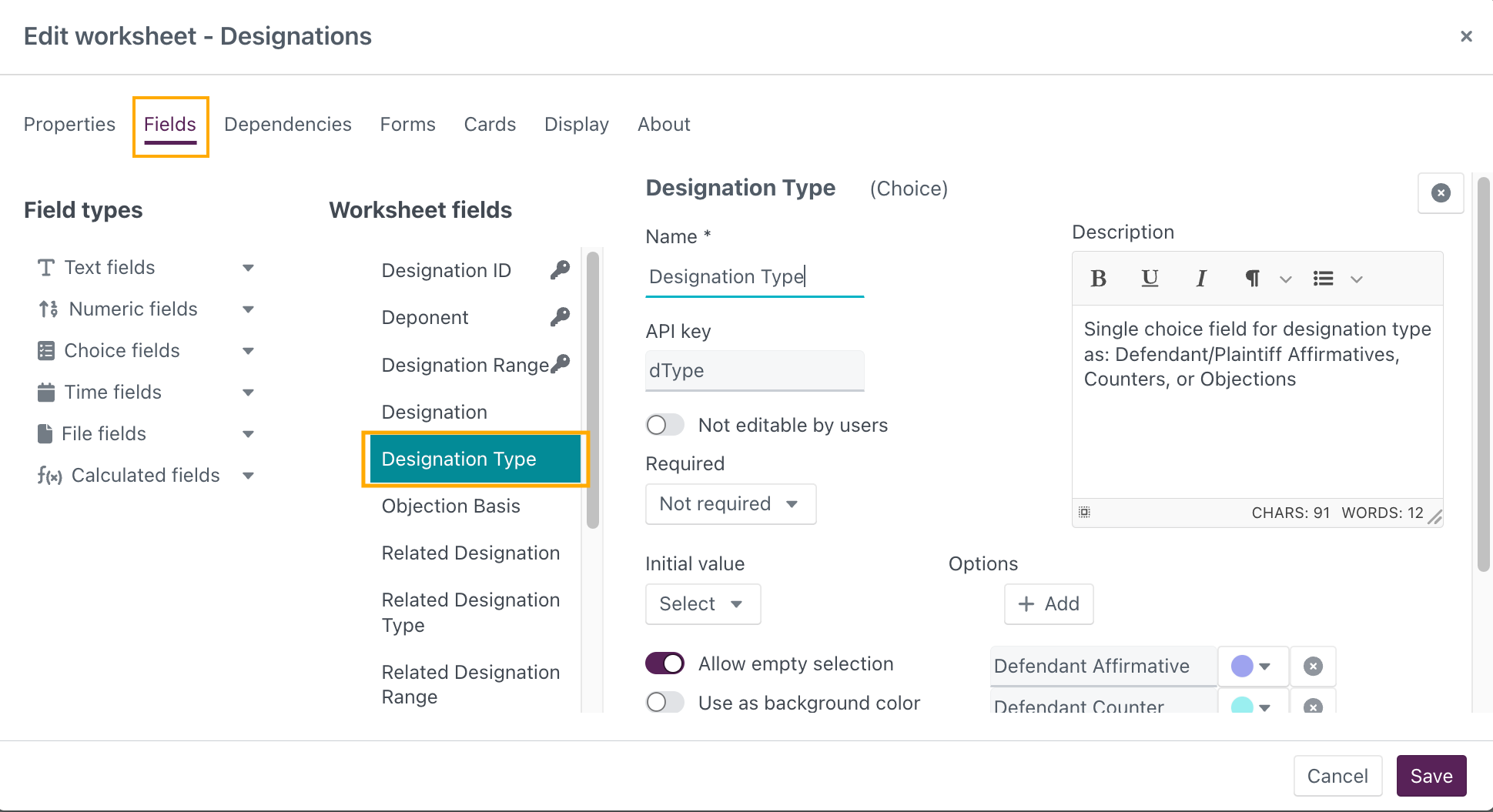
- Under the Options section:
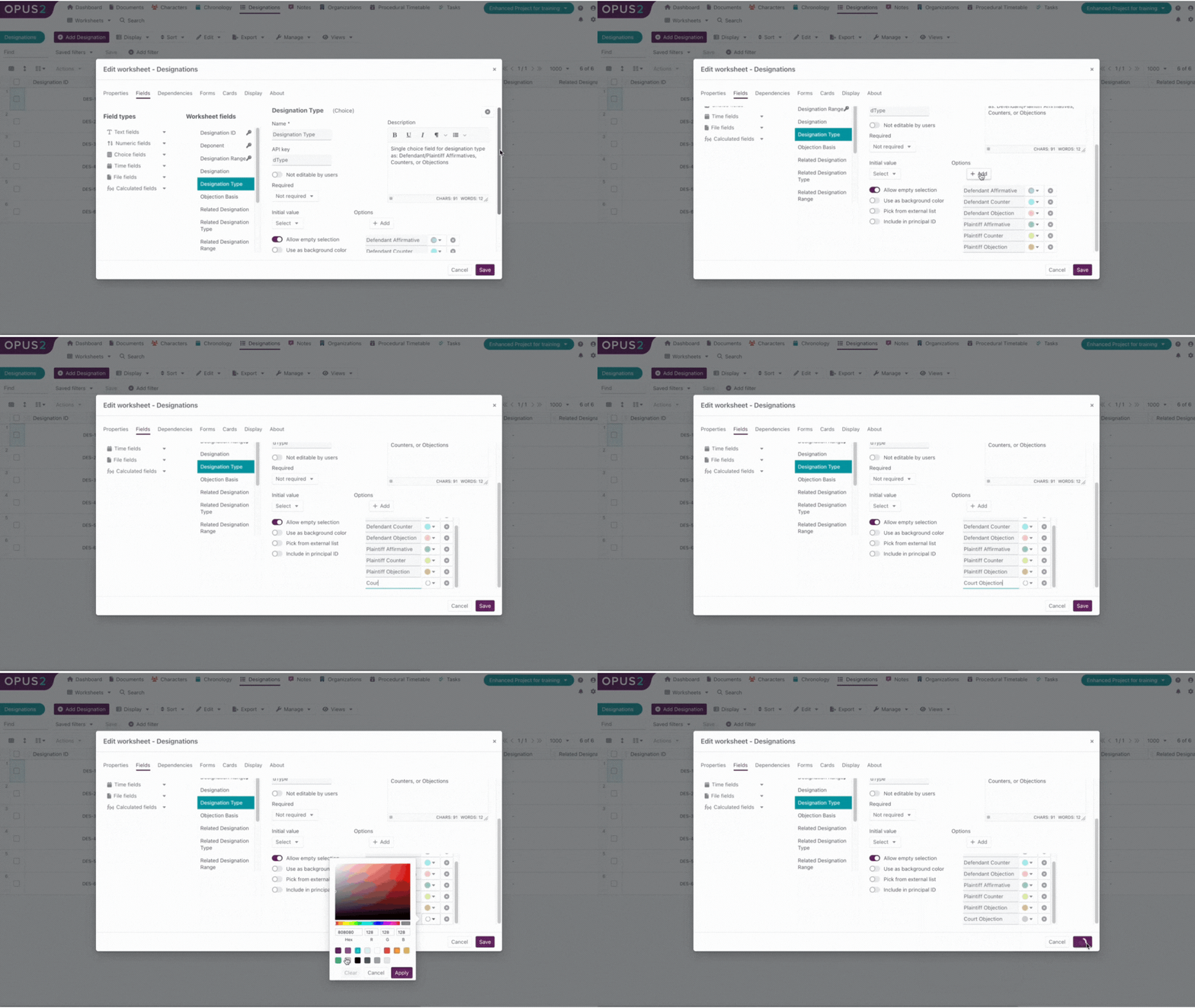
- Select + Add to create a new designation type.
- Enter the desired option name.
- Assign a colour to the option.
- Select Save.
Additional actions available on existing designation types:
- Edit an existing designation type by selecting directly in its text field.
- Change the colour using the colour dropdown.
- Delete a designation type by selecting the X icon.
Select Save after making any changes.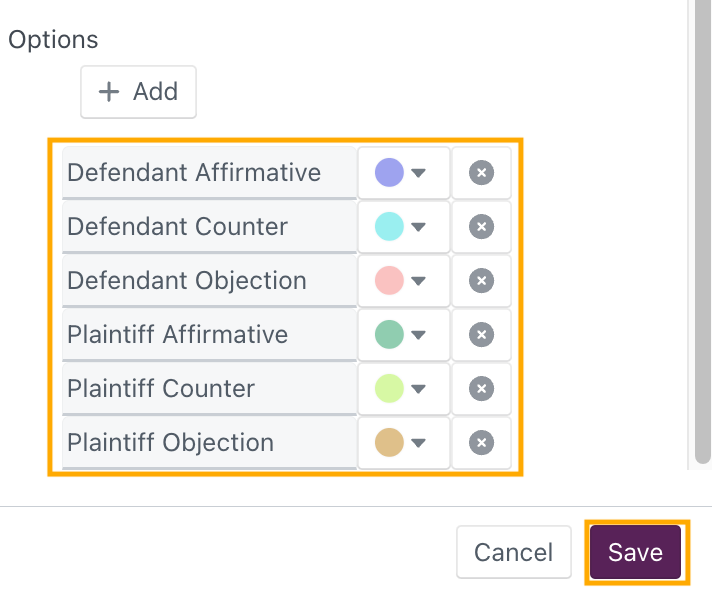
Editing objection basis options
- In the Fields list, select Objection Basis.
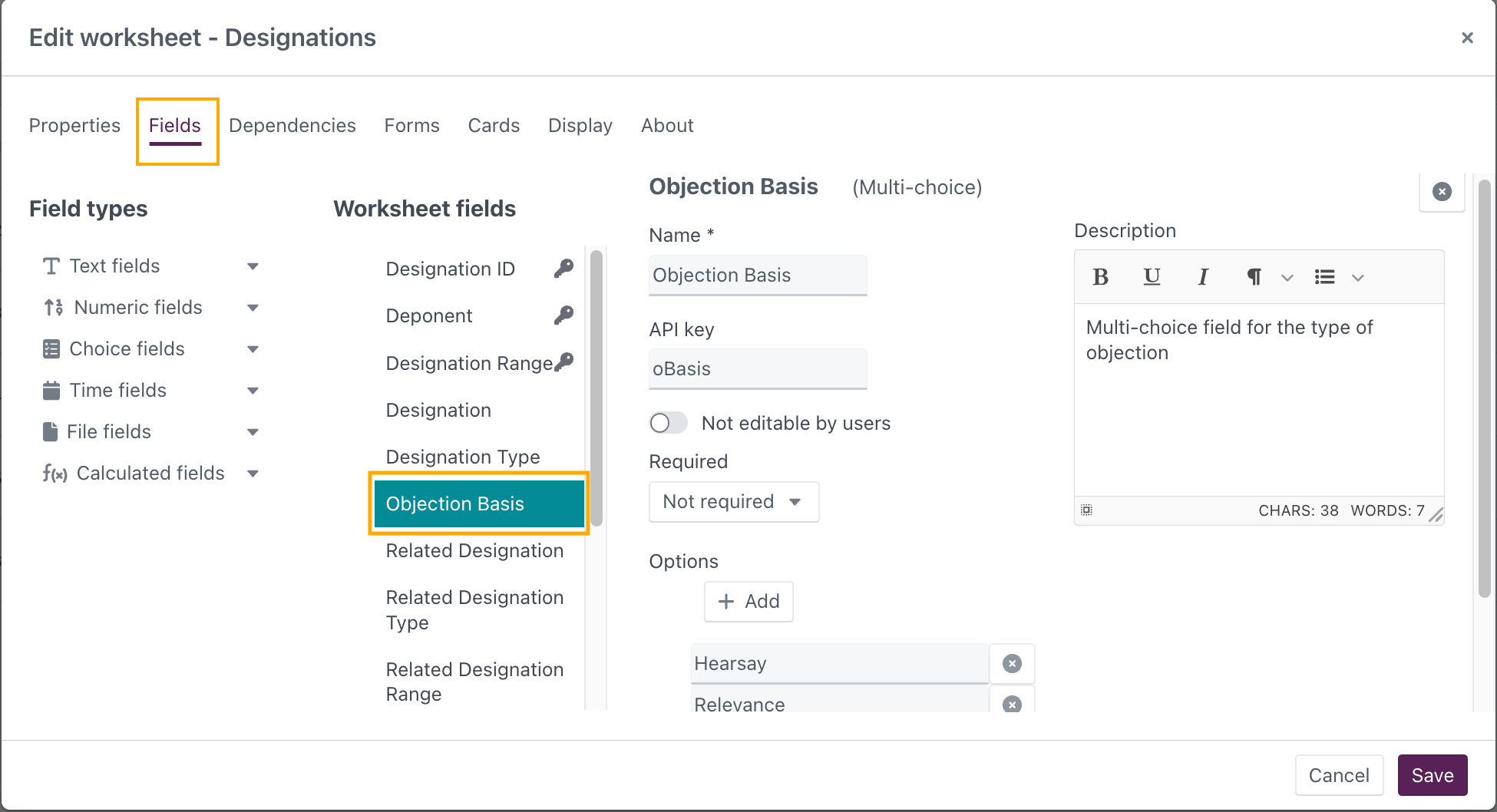
- Under the Options section:
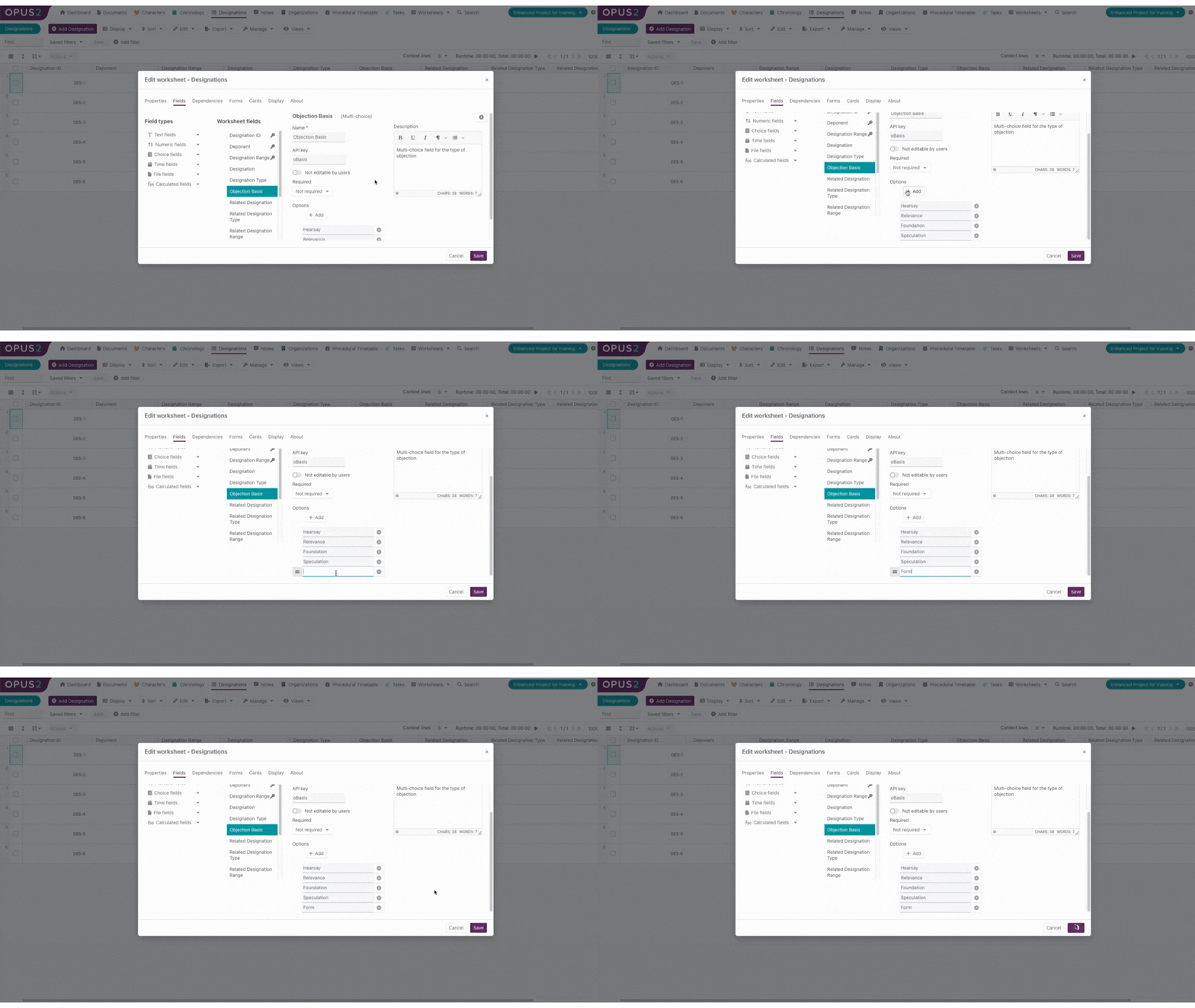
- Select + Add.
- Enter the new objection basis value.
- Select Save.
Additional actions available on existing objection basis values:
- Edit existing values by selecting them in the text field.
- Delete values using the X icon.
Select Save after making any changes.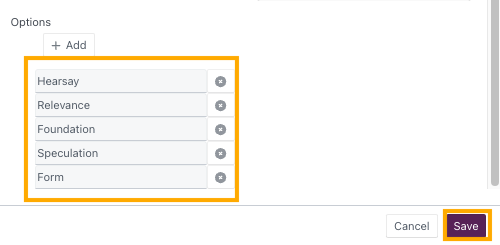
Related links
- How to create a designation on a transcript
- Creating video clips for designations
- Using the Designations worksheet
Related documentation
Opus 2 has help information accessible within the application; click the question mark and then select Documentation in the upper-right area of the platform. You can also access the documentation at: Opus 2 Support.
How to contact us
To contact us about the documentation, or if you have any other questions or issues about Opus 2 solutions, contact Opus 2 Platform Support by emailing Opus 2 Platform Support.