
| Minimum Software Version | 8.18.10 |
| Solution(s) | Cases International ✓ Cases US ✓ Institutions ⨉ Counsel ✓ |

Explains how to add a new Character to a project using the Characters worksheet.
Characters are used within Opus 2 to represent individuals, organisations, or entities relevant to a case. They can then be referenced across worksheets, documents, and analysis tools to support structured review and issue tracking.
Characters are added directly from the Characters worksheet. The available input fields may vary depending on how the worksheet has been configured for the specific solution or project template.
Adding a character
- Open your project.
- Navigate to Characters from the project navigation.
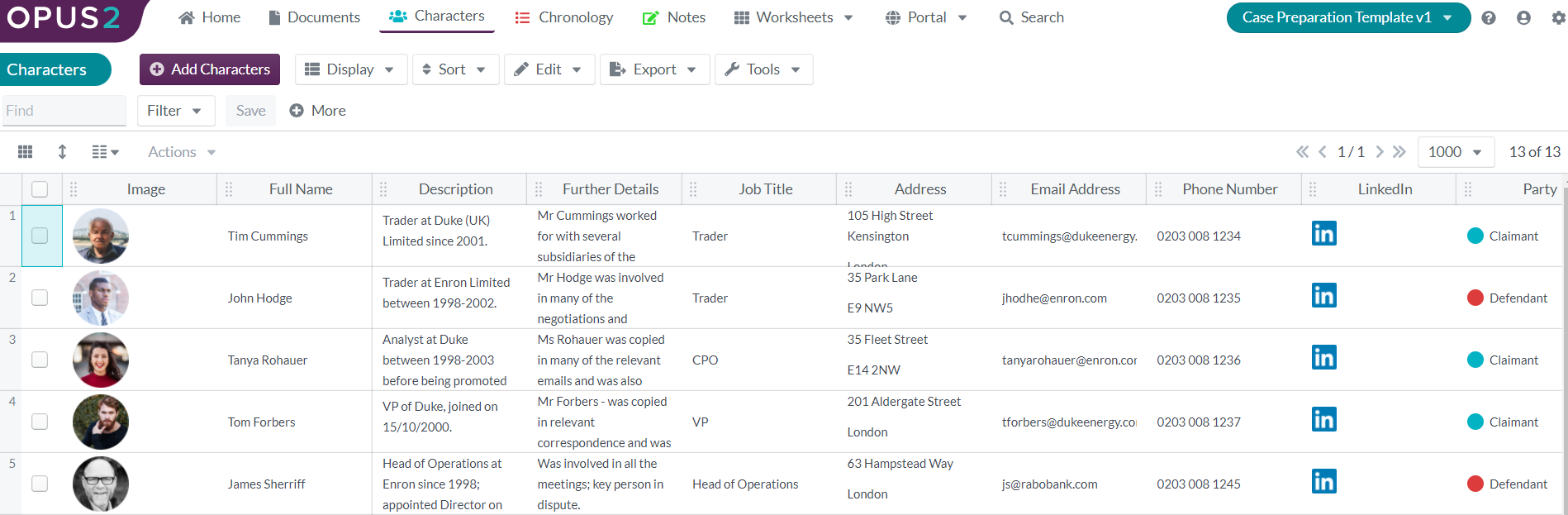
- Click Add Characters to open the character creation dialog.
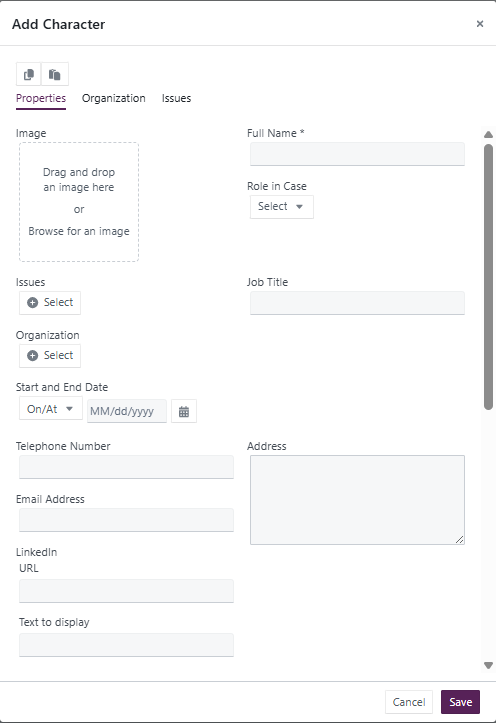
- Complete the required fields.
- Available fields may differ depending on worksheet configuration.
- Save the character to add it to the project.
Related Links
Add characters early in your project setup to improve consistency and make it easier to reference key individuals or entities across worksheets and documents.